

Inspecting an element
Inspect an element
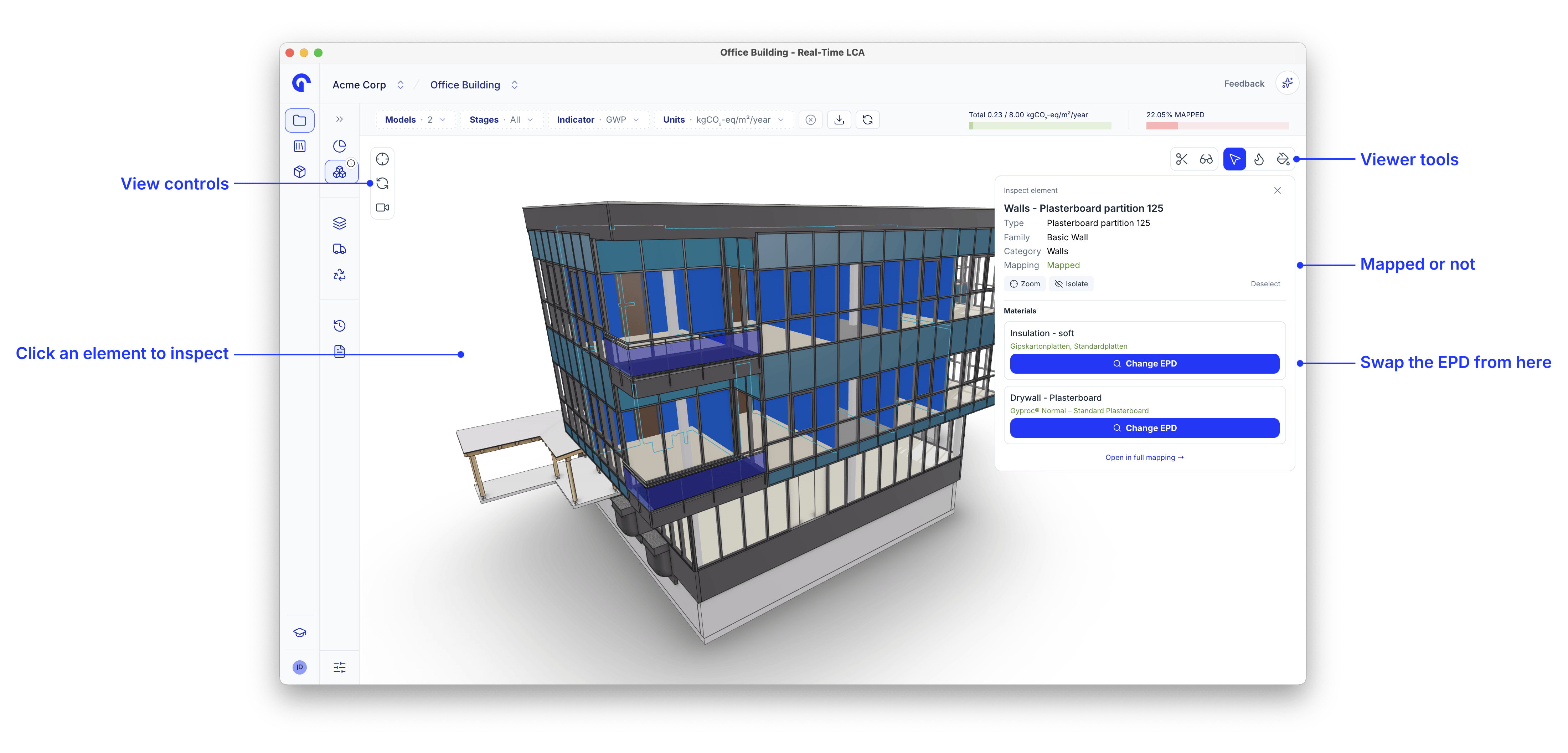
Click any element to open Inspect element. It reports the type, family, and category that came from the authoring tool, and whether the element is Mapped or Unmapped.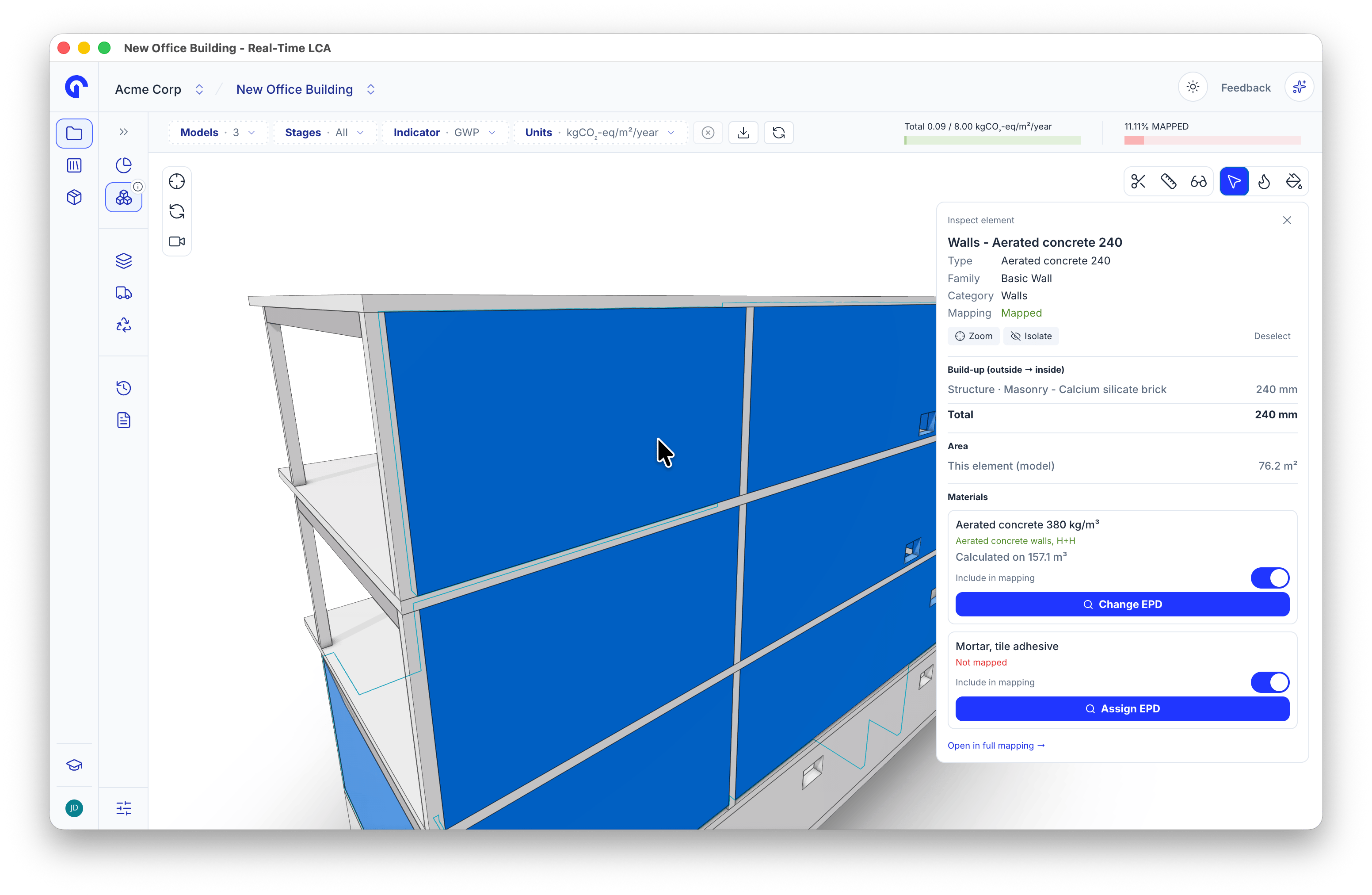
Inspect element with the layer build-up
- Zoom frames the selection; Isolate hides everything else; Deselect clears it.
- Build-up (outside → inside) lists the layers of a wall or floor with their thicknesses and the overall Total.
- Area shows the area of the selected element in the model.
- Under Materials, every material on the element is listed with the EPD it is mapped to. Change EPD re-maps it without leaving the viewer; an unmapped material offers Assign EPD instead.
- Open in full mapping jumps to the row in Material Mapping.
Layers with varying thickness
Some layers are not the same thickness everywhere, for example tapered roof insulation. The build-up then shows the nominal thickness with a Thickness varies note giving the average across the element.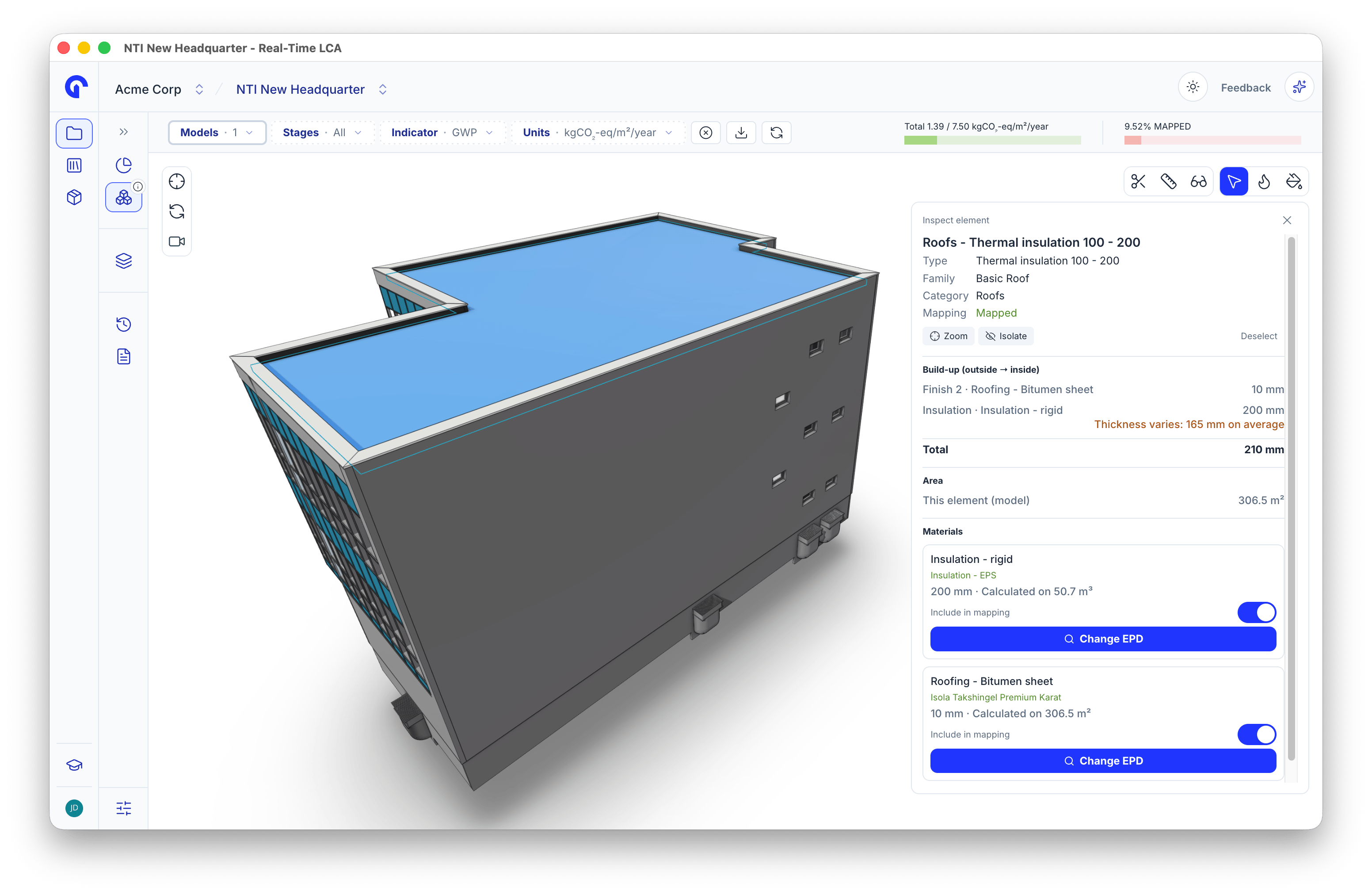
A tapered insulation layer in the build-up
Switch a material off
Each material has an Include in mapping toggle, the same switch as in Material Mapping. Turn it off to leave the material out of the calculation. Excluded elements get their own grey look and an Excluded chip, so you can tell them apart from elements that are not mapped yet. A switched-off material is never counted as unmapped.Change the EPD from the viewer
Change EPD opens the library inside the viewer, with Materials and Constructions tabs and a search field.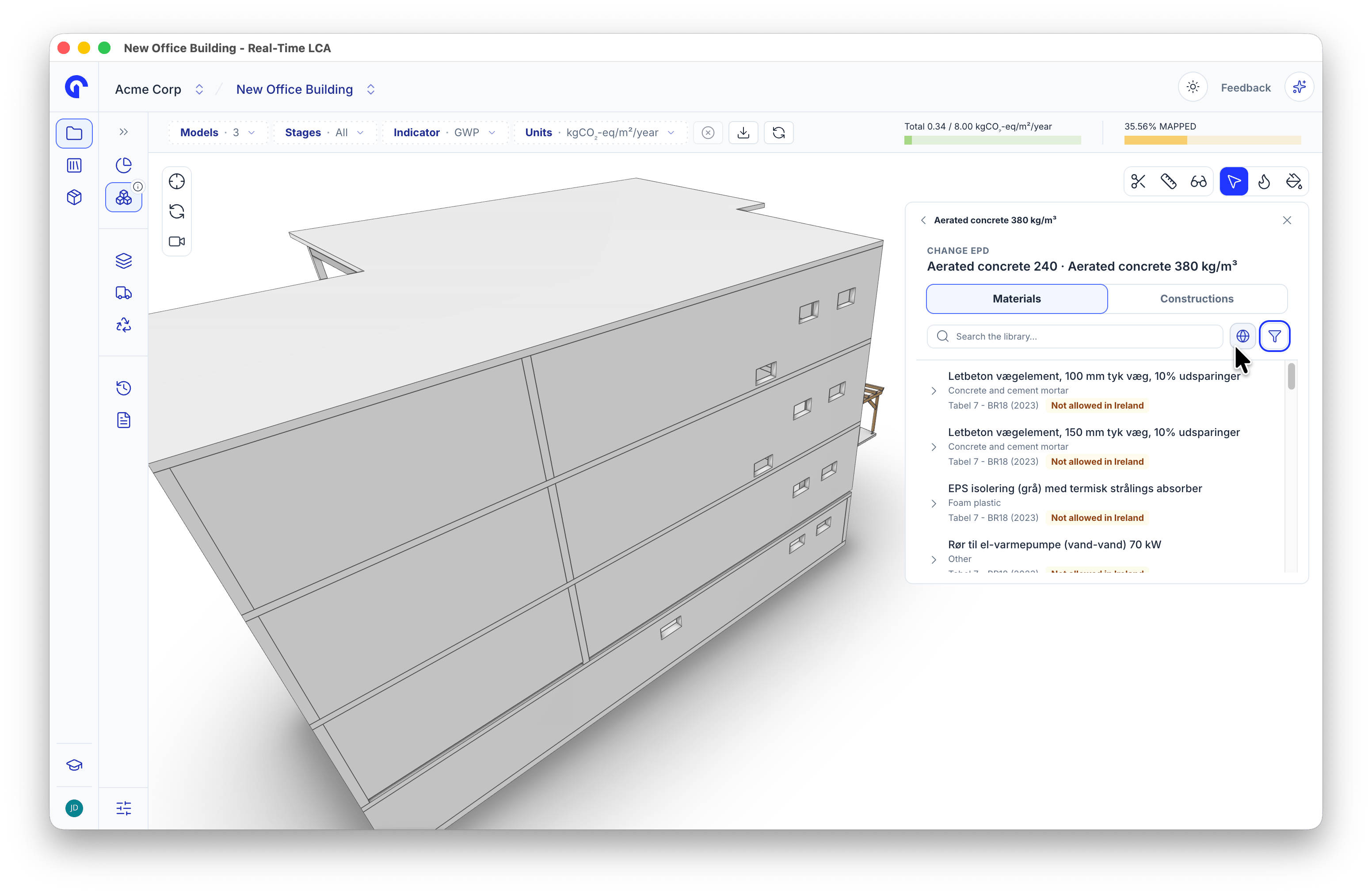
Changing an EPD in the viewer
Measure the model
The measure tool takes heights, thicknesses, and areas directly from the model, so you don’t have to switch back to your authoring tool to check a number.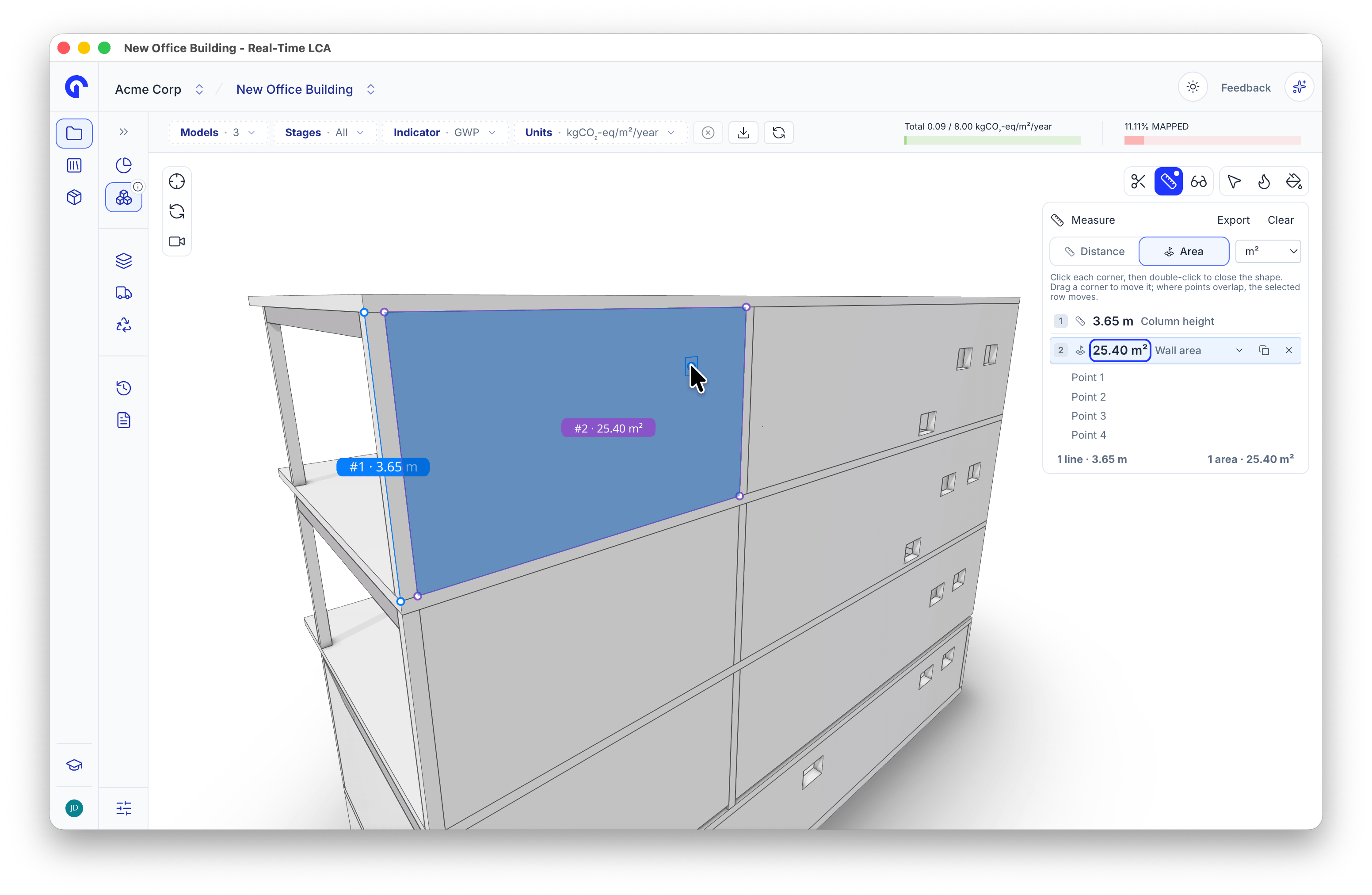
Measuring a distance and an area
- Select the measure tool in the viewer toolbar.
- Choose Distance or Area, and pick the unit from the dropdown.
- Click points on the model:
- For Distance, click the points to measure between.
- For Area, click each corner, then double-click to close the shape.
- Drag a corner to move it. Where points overlap, the selected row moves.
- Name a measurement, for example Column height or Wall area, so the list reads on its own.
- Expand a row to see its points. Use the row buttons to duplicate or delete it.
- The footer sums the lines and areas you have measured.
- Export downloads the list. Clear removes every measurement.
Colour the model by impact
The viewer can shade the model by emission intensity instead of by material, which makes the hot spots obvious at a glance.
Emission intensity
Colour by life-cycle stage
Colour by switches the heatmap from Total (all stages) to a single life-cycle stage, grouped by phase: production (A1–A3), construction (A4, A5), use (B1–B7), and end of life (C).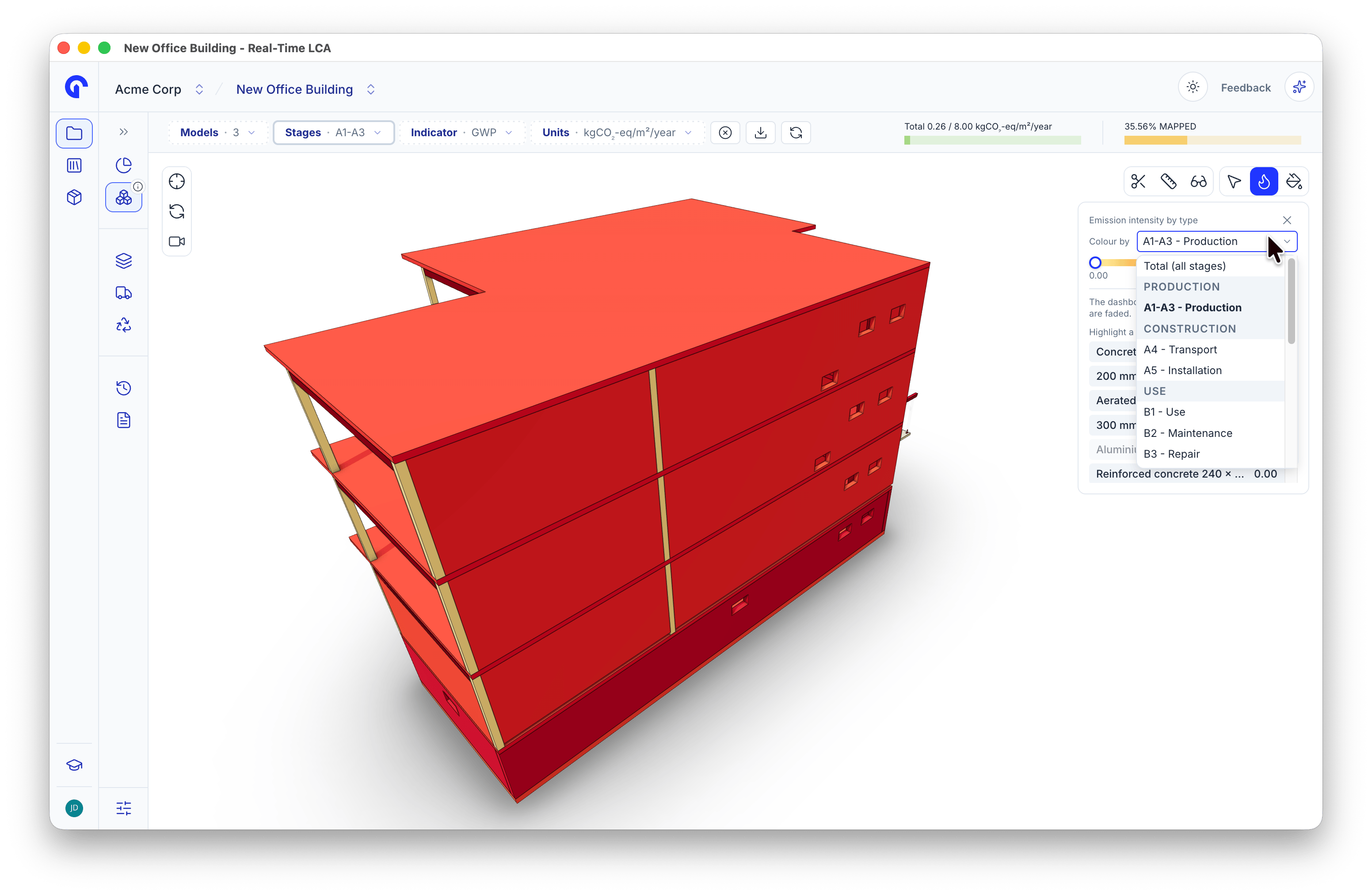
Colouring by a life-cycle stage
Find what is not mapped
The material mapping panel turns the model into a checklist. With Colour by set to Mapping status, each type is green when mapped, amber when incomplete, and red when unmapped.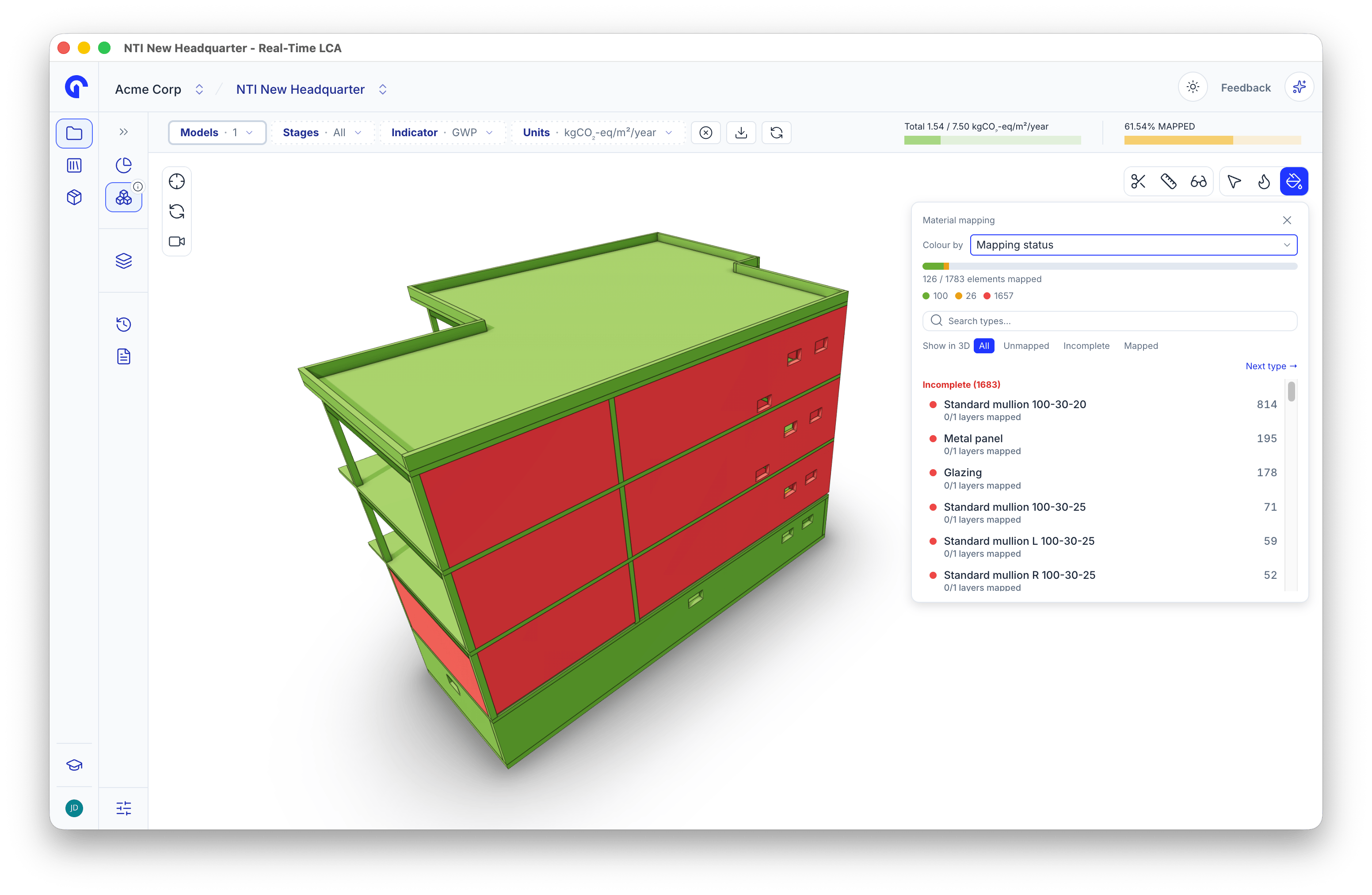
Colouring by mapping status
- The bar and counts show how many elements are mapped, incomplete, and unmapped.
- Each type in the list shows how many of its layers are mapped, for example 0/1 layers mapped.
- Show in 3D limits the model to All, Unmapped, Incomplete, or Mapped.
- Next type steps through the list until nothing is left.
Colour by mapping source
Set Colour by to Mapping source to see who mapped each type: Auto-mapped, Mapped by a person, or Not mapped.
Colouring by mapping source
Colour by material stage
Set Colour by to Material stage to shade each type by the stage of its material layers, for example New construction.
Colouring by material stage
Colour by EPD validity
Set Colour by to EPD validity to find types that rest on an EPD close to expiry. Types are grouped into Expiring soon, Valid, and Not mapped.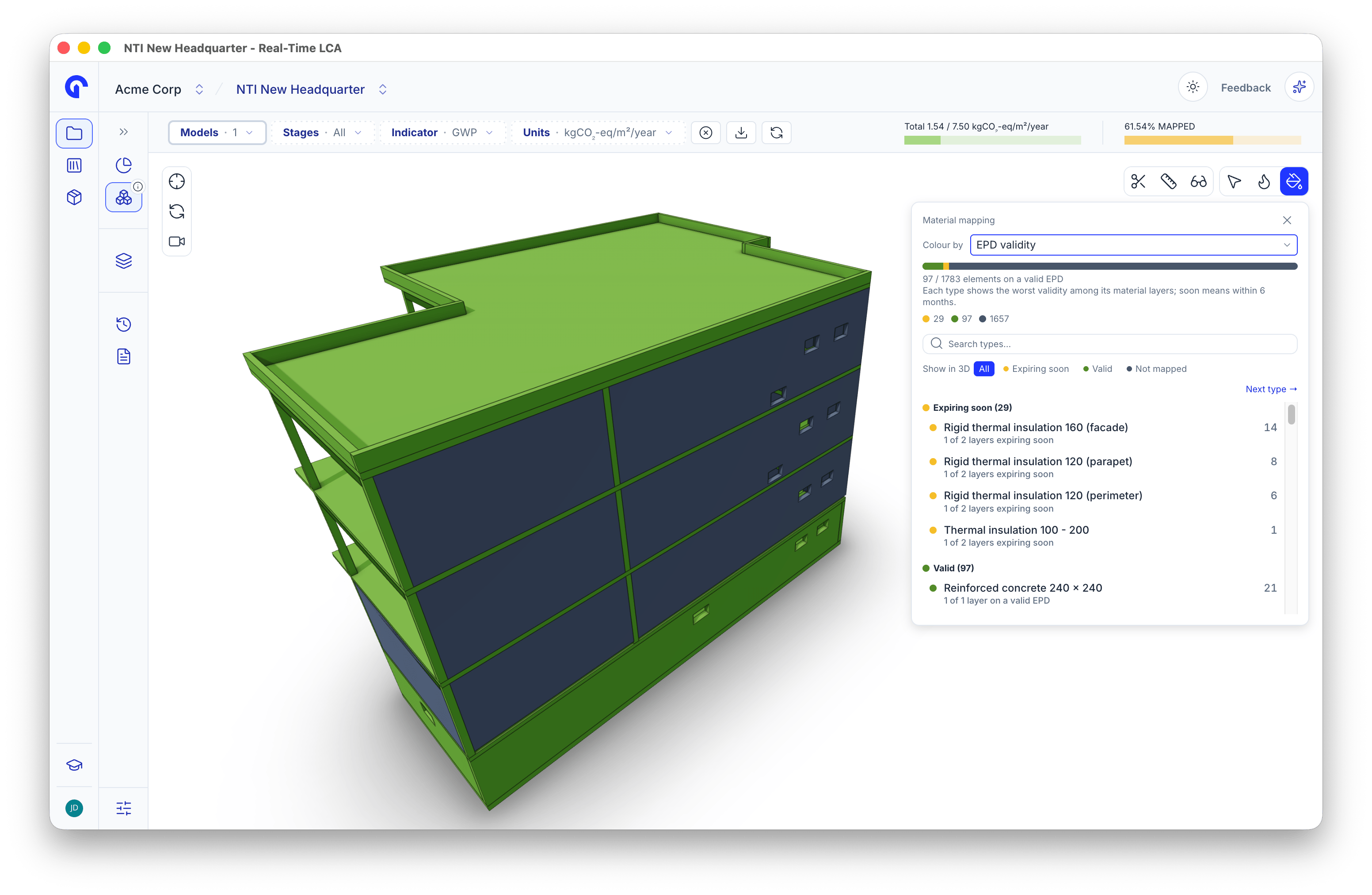
Colouring by EPD validity
- Expiring soon means the EPD expires within six months.
- Each type shows the worst validity among its material layers.
Colour by EPD quality
In the mapping panel, set Colour by to EPD quality to shade each type by the kind of data behind it: product-specific, industry, generic, or custom.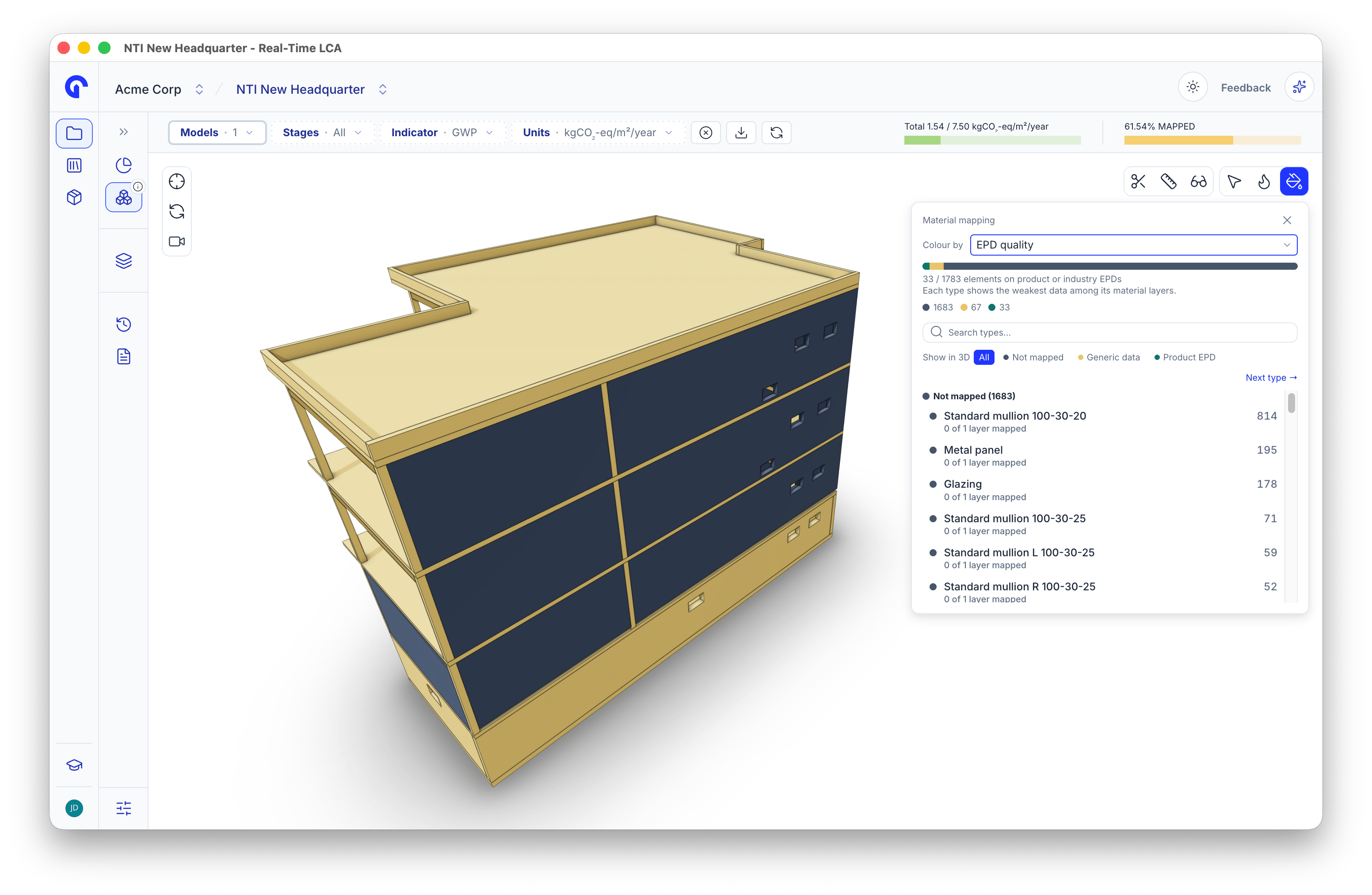
Colouring by EPD quality
- The summary counts how many elements rest on product or industry EPDs.
- Each type is coloured by the weakest data among its material layers.
- Show in 3D limits the model to one quality group. Next type steps through the list.