

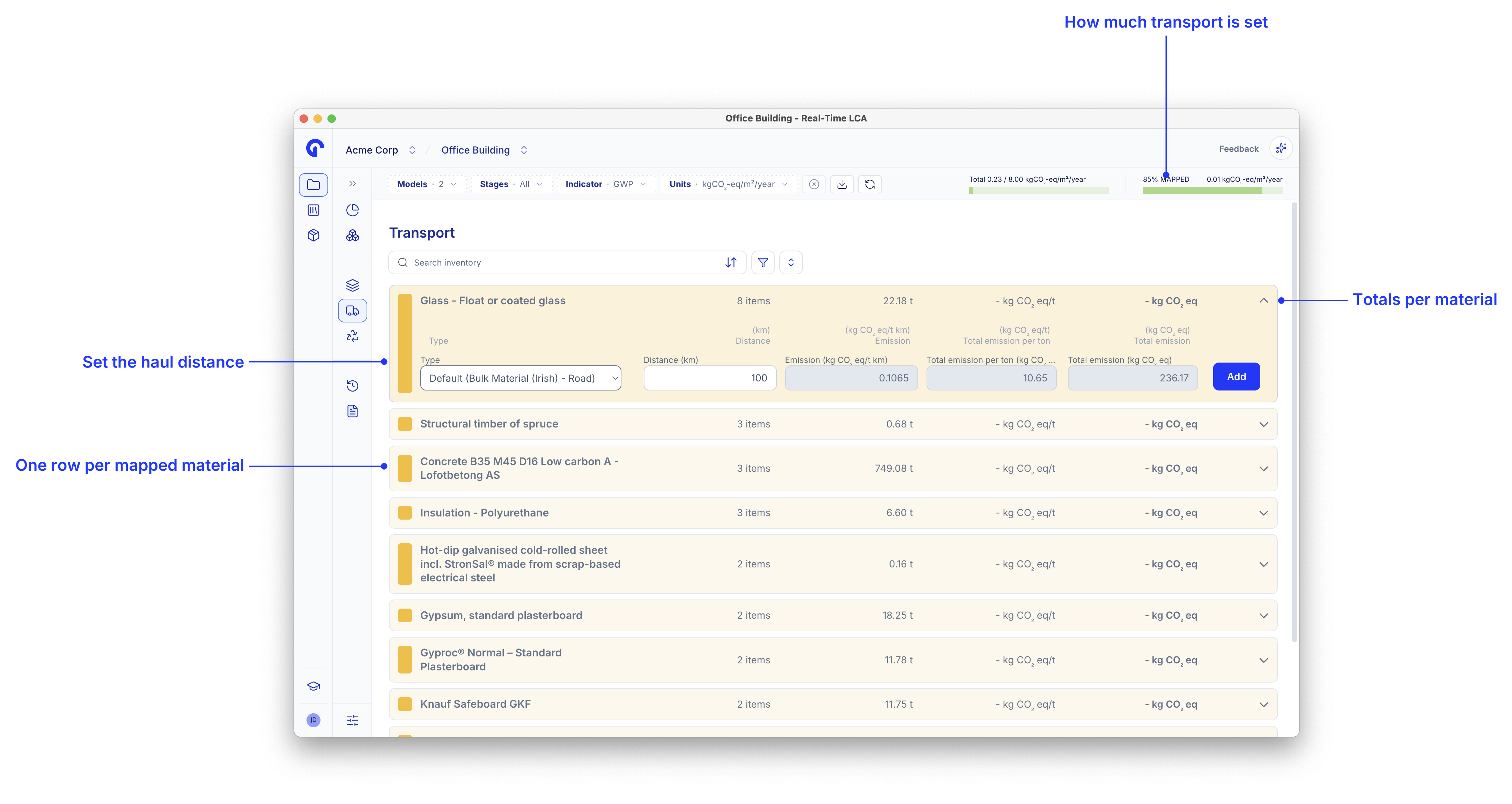
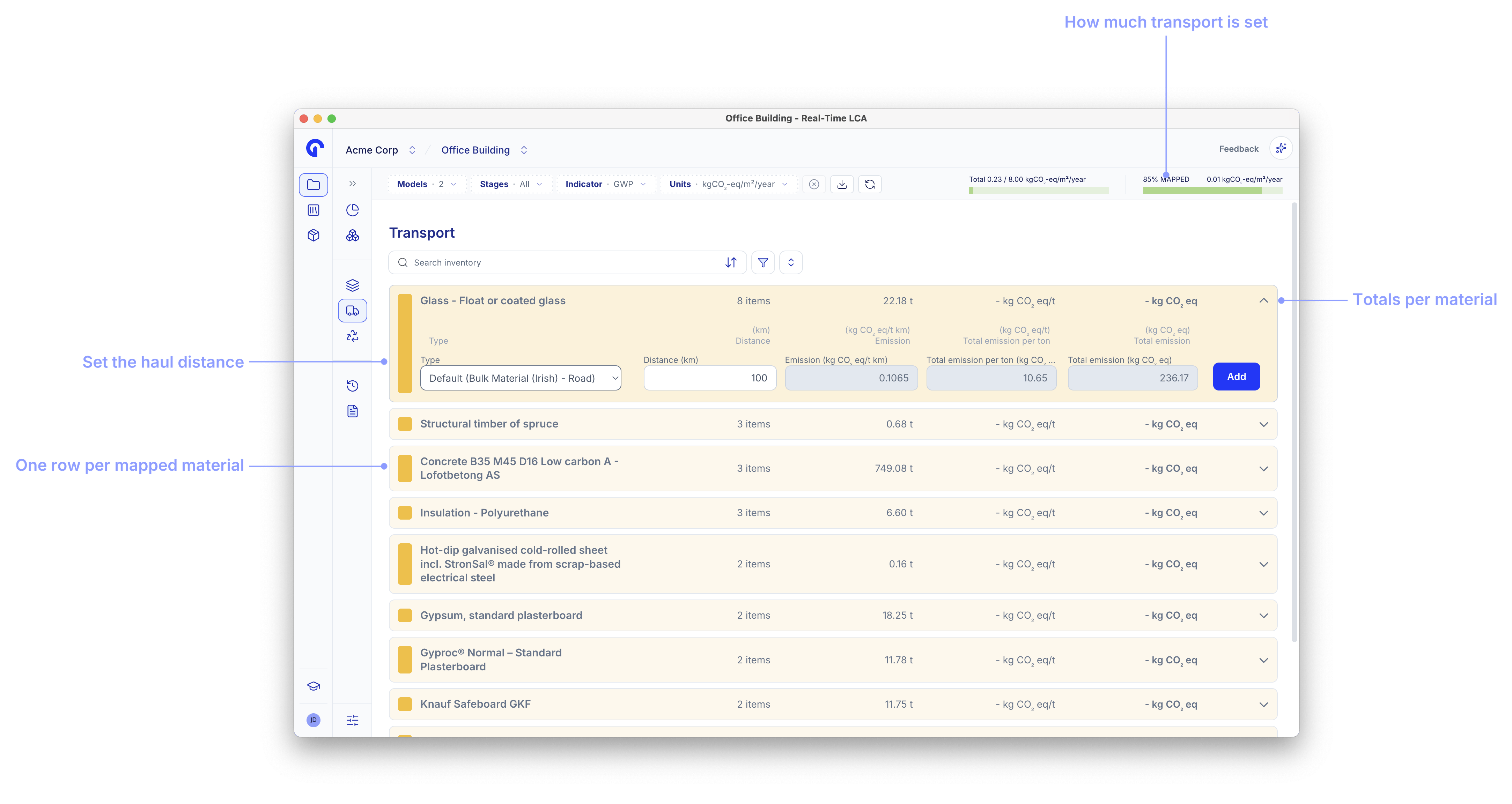
Transport Mapping is where you tell Real-Time LCA how each material reaches the construction site. Once the inventory rows are mapped, the A4 (transport) emissions roll into the project total alongside production (A1–A3) and end-of-life (C) results. Open it by clicking the Transport Mapping tab in the Project Dashboard header.
Transport Mapping page showing an Inventory list of materials, each row coloured by mapping state, with a TRANSPORT MAPPING % and kgCOβ‚‚-eq/mΒ²/year live counter in the header.
The data sources available in the dropdowns and the way A4 is calculated depend on the project’s country and calculation type. See Methodology & Compliance for the rules.

Page layout

Transport Mapping uses a single panel β€” there is no Library to drag from. Each row in the Inventory is one of the materials already mapped in Material Mapping, with a quantity and a colour that tells you the row’s state at a glance. The header strip shows two live numbers:
  • TRANSPORT MAPPING % β€” share of inventory rows that have a transport assignment.
  • kgCOβ‚‚-eq/mΒ²/year β€” current A4 intensity based on what is already mapped.
Both update as you map or unmap rows.

Row states

ColourMeaning
GreenA4 emissions are covered β€” either by an assigned transport type or because the EPD’s data already includes A4 (see Material-derived data source).
YellowThe row is unmapped. A4 will be zero until you assign a transport type.
Expanded Transport Mapping inventory with two yellow unmapped rows and two green rows where the emission is derived from material data.

Map a transport type

Expand a row to open the assignment form. The flow is:
  1. Pick a Data Source β€” the table the emission factor comes from (for example, a distance-based table or a fuel-based table).
  2. Pick a Main Group and Sub Group to narrow down to a specific transport type.
  3. Review the calculated kgCOβ‚‚-eq/Kg, Total Emission, and Total Scaled Emission columns.
  4. Click Add to commit.
Transport Mapping Data Source dropdown listing a distance-based table and a fuel-based emission factors table.
Transport Mapping row expanded with Main Group set to Beton and Sub Group set to Fabriksbeton, with calculated emission columns and an Add button.
Once committed, the row turns green and shows the picked transport type as a chip underneath the material name. The header counters update.
Transport Mapping row showing Ready-mix concrete C25/30 mapped to Beton β†’ Fabriksbeton with 463.09 kgCOβ‚‚-eq total emission.

Fuel-based emissions

Some regulations expose a fuel-based table β€” the emission is calculated from the volume or mass of fuel consumed per material instead of from a distance. Pick the fuel data source, choose an Emission Factor (for example, Diesel), and enter litres or kilograms.
Transport Mapping row expanded with a fuel-based data source, Diesel emission factor, and empty (L) Liter and (Kg) Kilogram inputs.

Material-derived data source

When a material’s EPD already includes module A4, Transport Mapping inherits the value automatically. The row shows an Emission derived from material data label and the Data Source picker is disabled β€” there is nothing to assign because the EPD already covers it.
Insulation - EPS row expanded with an Emission derived from material data note and a disabled Data Source picker.

Search, sort, and filter

The toolbar above the inventory has the same shape as Material Mapping:
  • Search inventory β€” free-text search across material names.
  • Sort β€” order the list by Name, Amount, Weight, or Emission.
  • Filter β€” narrow by State (Error, Mapped (Material Data), Mapped (Transport Types), Unmapped) and Transport Types.
Transport Mapping sort dropdown with Name, Amount, Weight, and Emission options.
Transport Mapping filter dropdown with State options Error, Mapped (Material Data), Mapped (Transport Types), and Unmapped.