> ## Documentation Index
> Fetch the complete documentation index at: https://docs.realtimelca.com/llms.txt
> Use this file to discover all available pages before exploring further.
# Verified EPDs
> Add a published EPD to the Library.
A **verified EPD** is a material that is backed by a published Environmental Product Declaration document. Use this option when you have the EPD PDF, the declaration number, and the publication and validity dates.
Make sure the **Published** tab is selected at the top of the Create Material form.
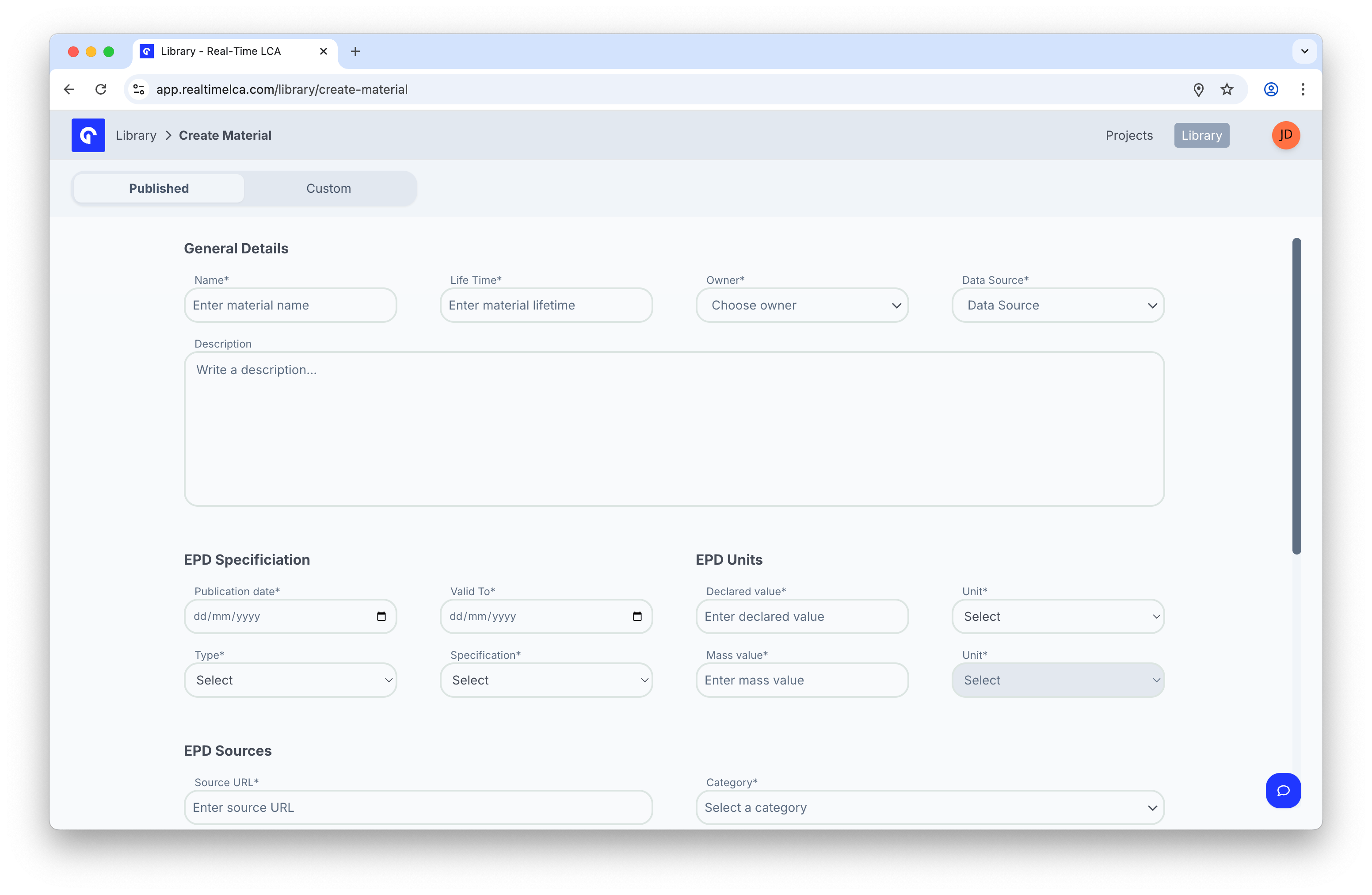 ## Step 1: General details
| Field | Notes |
| ---------------------------- | ---------------------------------------------------------------- |
| **Name** *(required)* | The name shown in the Library. Use the same name as the EPD. |
| **Life Time** *(required)* | Expected service life in years. |
| **Owner** *(required)* | The manufacturer or organization that issued the EPD. |
| **Data Source** *(required)* | The upstream database, for example *EPD Danmark* or *Ökobaudat*. |
| **Description** | A short text shown on the material detail panel. |
## Step 2: EPD specification
| Field | Notes |
| --------------------------------- | ------------------------------------------------------- |
| **Publication date** *(required)* | The EPD's official publication date. |
| **Valid To** *(required)* | The end of the EPD's validity window. |
| **Type** *(required)* | *Product*, *Industry*, or *Generic*. |
| **Specification** *(required)* | The standard the EPD follows, for example *EN15804+A2*. |
## Step 3: EPD units
| Field | Notes |
| ------------------------------- | ------------------------------------------------------------ |
| **Declared value** *(required)* | The numerical declared quantity from the EPD. |
| **Unit** *(required)* | Unit for the declared value (for example, *m²*, *m³*, *kg*). |
| **Mass value** *(required)* | The mass per declared unit. |
| **Unit** *(required)* | Mass unit (typically *kg*). |
## Step 4: EPD sources
## Step 1: General details
| Field | Notes |
| ---------------------------- | ---------------------------------------------------------------- |
| **Name** *(required)* | The name shown in the Library. Use the same name as the EPD. |
| **Life Time** *(required)* | Expected service life in years. |
| **Owner** *(required)* | The manufacturer or organization that issued the EPD. |
| **Data Source** *(required)* | The upstream database, for example *EPD Danmark* or *Ökobaudat*. |
| **Description** | A short text shown on the material detail panel. |
## Step 2: EPD specification
| Field | Notes |
| --------------------------------- | ------------------------------------------------------- |
| **Publication date** *(required)* | The EPD's official publication date. |
| **Valid To** *(required)* | The end of the EPD's validity window. |
| **Type** *(required)* | *Product*, *Industry*, or *Generic*. |
| **Specification** *(required)* | The standard the EPD follows, for example *EN15804+A2*. |
## Step 3: EPD units
| Field | Notes |
| ------------------------------- | ------------------------------------------------------------ |
| **Declared value** *(required)* | The numerical declared quantity from the EPD. |
| **Unit** *(required)* | Unit for the declared value (for example, *m²*, *m³*, *kg*). |
| **Mass value** *(required)* | The mass per declared unit. |
| **Unit** *(required)* | Mass unit (typically *kg*). |
## Step 4: EPD sources
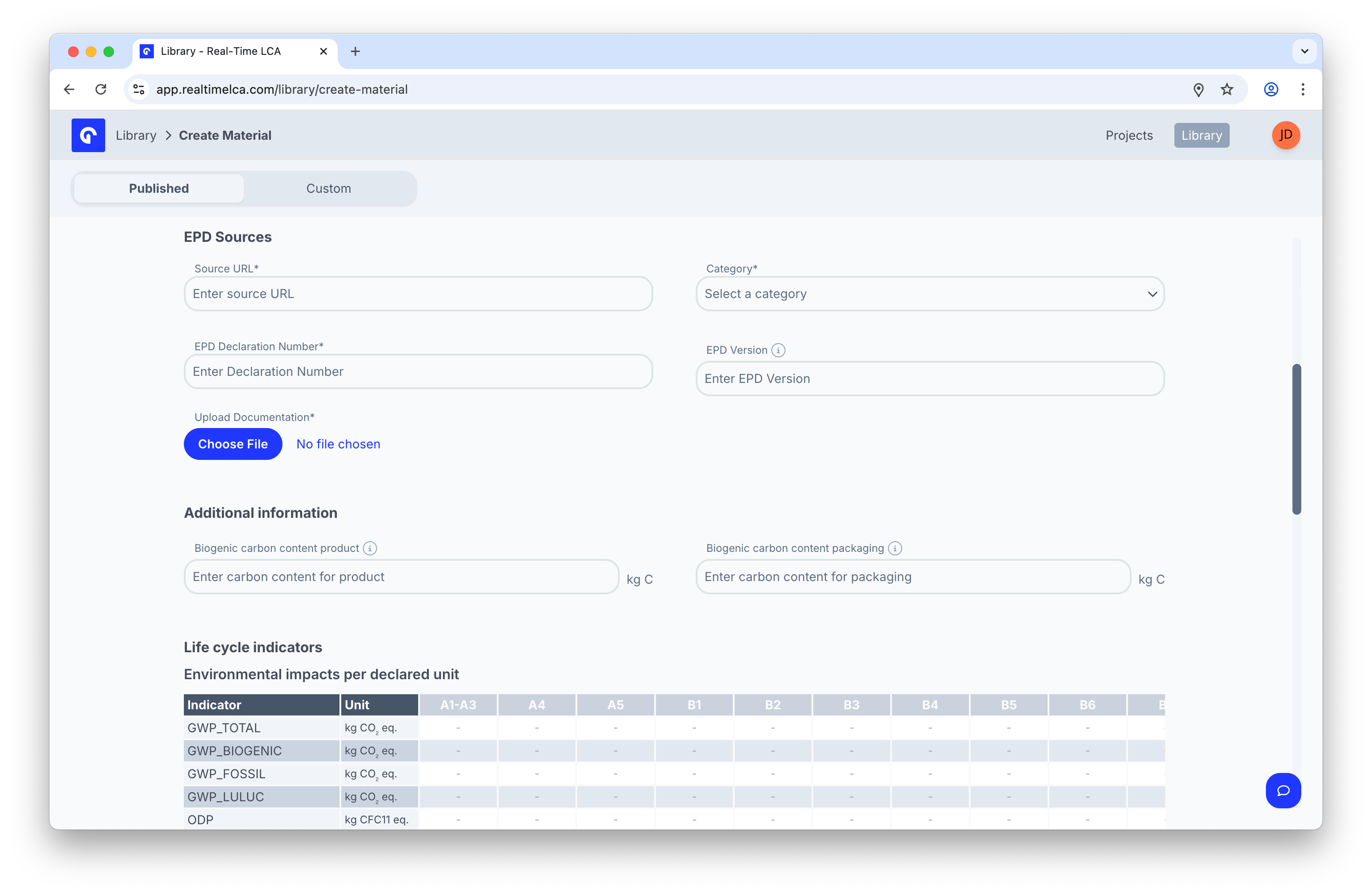 | Field | Notes |
| --------------------------------------- | ----------------------------------------------------------------------------------------------------------------------------- |
| **Source URL** *(required)* | A link to the EPD page or registry entry. |
| **Category** *(required)* | The material category that drives filtering and grouping. |
| **EPD Declaration Number** *(required)* | The unique identifier from the EPD document (for example, *S-P-06627*). |
| **EPD Version** | The version printed on the EPD. |
| **Upload Documentation** *(required)* | Click **Choose File** and upload the EPD PDF. This is what readers see when they click the **PDF** badge on the material row. |
## Step 5: Additional information
| Field | Notes |
| ------------------------------------- | ------------------------------------------------------------------- |
| **Biogenic carbon content product** | Kilograms of biogenic carbon per declared unit, used for reporting. |
| **Biogenic carbon content packaging** | Kilograms of biogenic carbon in packaging per declared unit. |
## Step 6: Life cycle indicators
Fill in **Environmental impacts per declared unit** and **Waste categories and output flows per declared unit** by entering the values from the EPD for each module (A1–A3, A4, A5, B1–B7, C1–C4, D). Leave a cell as `-` when the EPD does not report that combination.
The table is wider than the screen — scroll horizontally to reach the later modules.
## Step 7: Save
When you are ready, click **Create Material** at the bottom of the form. The material appears in the Library immediately with a **PDF** badge linking to the document you uploaded.
| Field | Notes |
| --------------------------------------- | ----------------------------------------------------------------------------------------------------------------------------- |
| **Source URL** *(required)* | A link to the EPD page or registry entry. |
| **Category** *(required)* | The material category that drives filtering and grouping. |
| **EPD Declaration Number** *(required)* | The unique identifier from the EPD document (for example, *S-P-06627*). |
| **EPD Version** | The version printed on the EPD. |
| **Upload Documentation** *(required)* | Click **Choose File** and upload the EPD PDF. This is what readers see when they click the **PDF** badge on the material row. |
## Step 5: Additional information
| Field | Notes |
| ------------------------------------- | ------------------------------------------------------------------- |
| **Biogenic carbon content product** | Kilograms of biogenic carbon per declared unit, used for reporting. |
| **Biogenic carbon content packaging** | Kilograms of biogenic carbon in packaging per declared unit. |
## Step 6: Life cycle indicators
Fill in **Environmental impacts per declared unit** and **Waste categories and output flows per declared unit** by entering the values from the EPD for each module (A1–A3, A4, A5, B1–B7, C1–C4, D). Leave a cell as `-` when the EPD does not report that combination.
The table is wider than the screen — scroll horizontally to reach the later modules.
## Step 7: Save
When you are ready, click **Create Material** at the bottom of the form. The material appears in the Library immediately with a **PDF** badge linking to the document you uploaded.
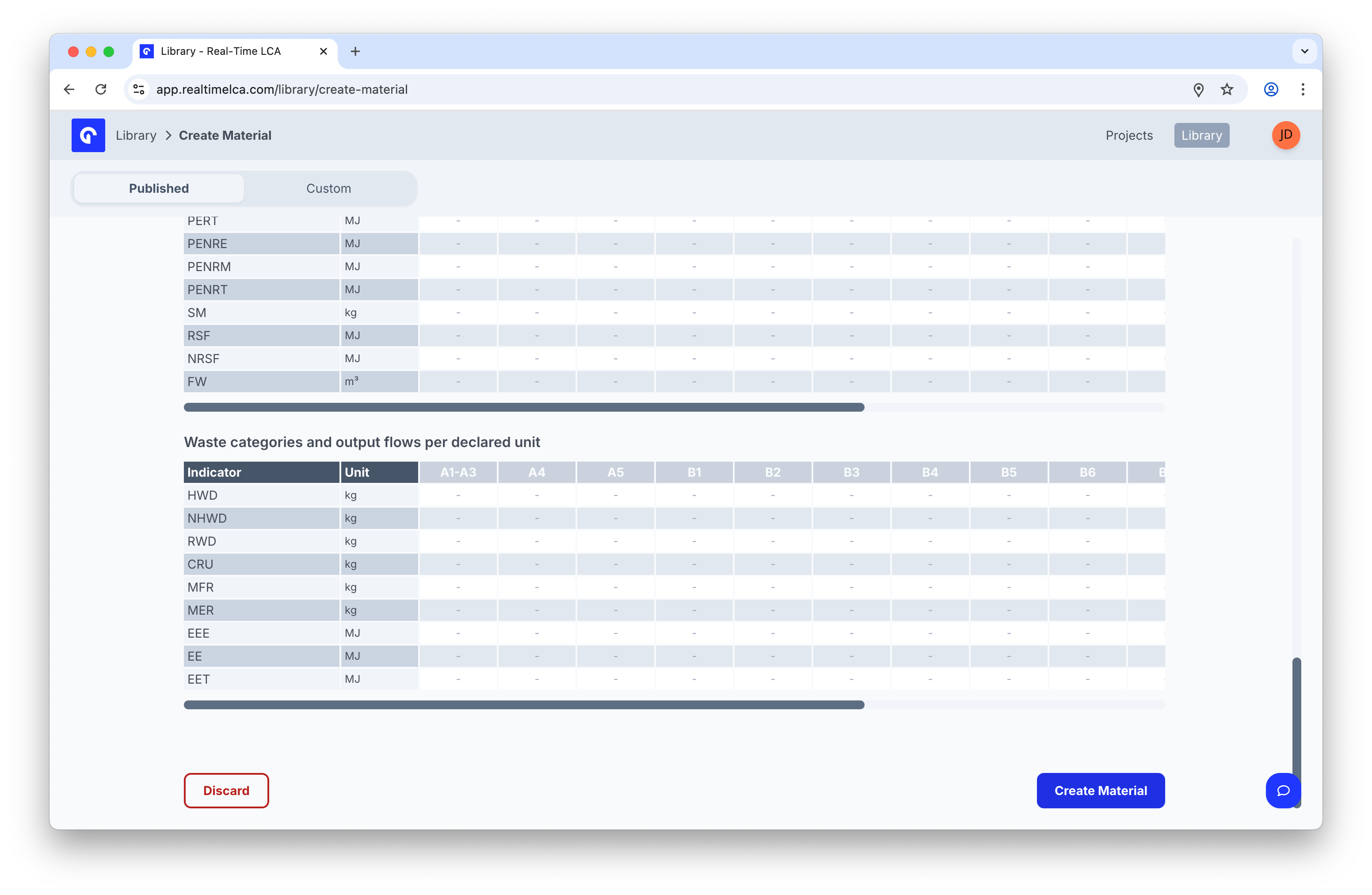 Use **Discard** to abandon the form. Real-Time LCA confirms before throwing away your entries.