> ## Documentation Index
> Fetch the complete documentation index at: https://docs.realtimelca.com/llms.txt
> Use this file to discover all available pages before exploring further.
# Browse materials
> View, inspect, search, filter, compare, clone, and favorite materials.
Each row in the Materials list represents one material. The card shows the **name**, **EPD type**, **EPD standard**, **datasource** (for example, *Real-Time LCA*), a short description, the last modified date, and tags such as the material category or attributes like *hardwood*.
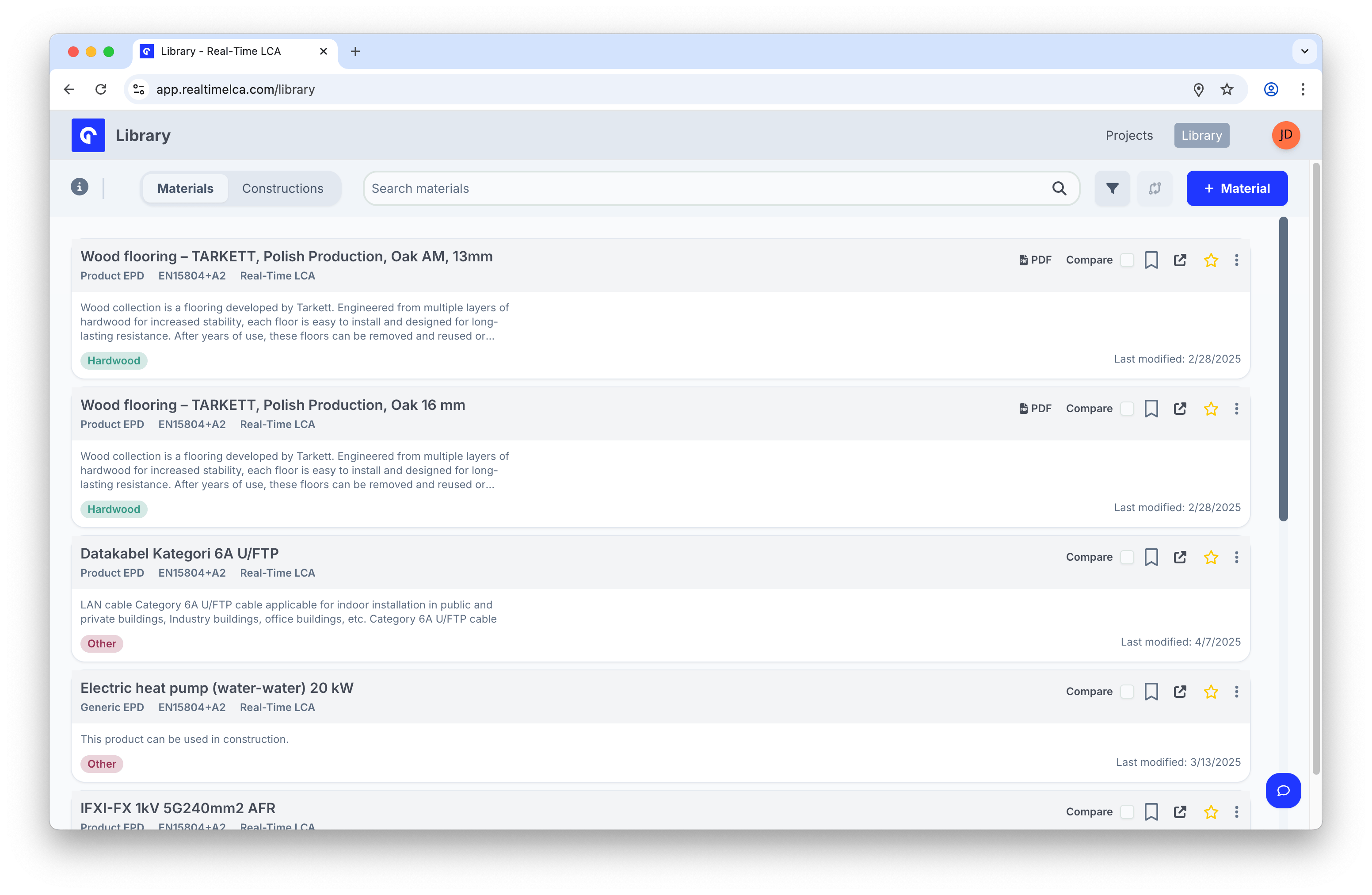 The row-level actions on the right of each material give you everything you need without opening it:
| Action | What it does |
| ---------------- | ------------------------------------------------------------------------------- |
| **PDF** | Open the EPD document (when one is attached). |
| **Compare** | Add the material to the comparison set. |
| **Bookmark** | Save the material to a [collection](/user-guide/library/materials/collections). |
| **Open in tab** | Open the material in its own browser tab. |
| **Star** | Mark the material as a favorite. |
| **⋮ (overflow)** | Additional actions — for example, **Clone**. |
## Inspect a material
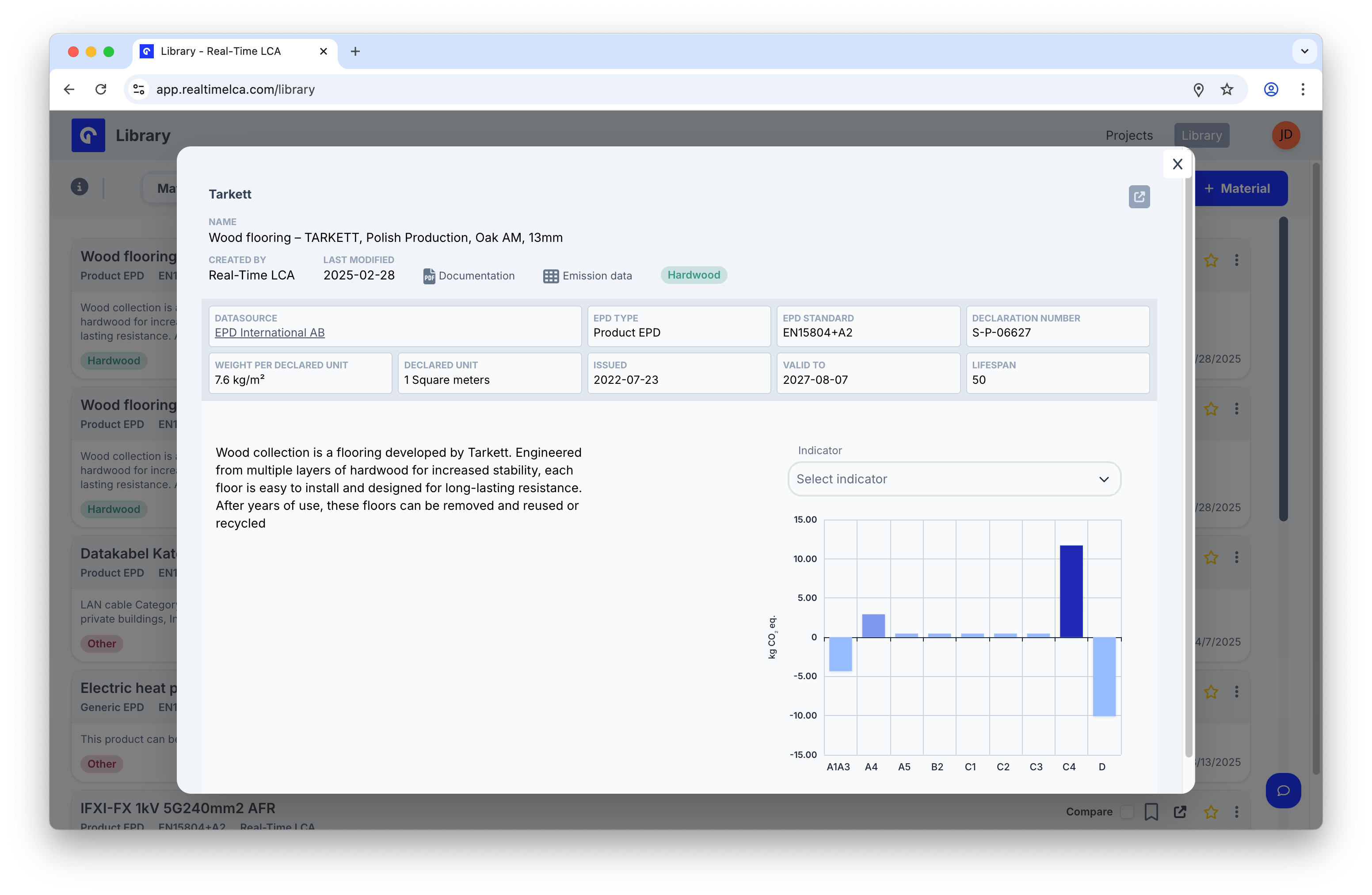
Click anywhere on a row to open the **material detail panel** as an overlay on the list.
The row-level actions on the right of each material give you everything you need without opening it:
| Action | What it does |
| ---------------- | ------------------------------------------------------------------------------- |
| **PDF** | Open the EPD document (when one is attached). |
| **Compare** | Add the material to the comparison set. |
| **Bookmark** | Save the material to a [collection](/user-guide/library/materials/collections). |
| **Open in tab** | Open the material in its own browser tab. |
| **Star** | Mark the material as a favorite. |
| **⋮ (overflow)** | Additional actions — for example, **Clone**. |
## Inspect a material
Click anywhere on a row to open the **material detail panel** as an overlay on the list.
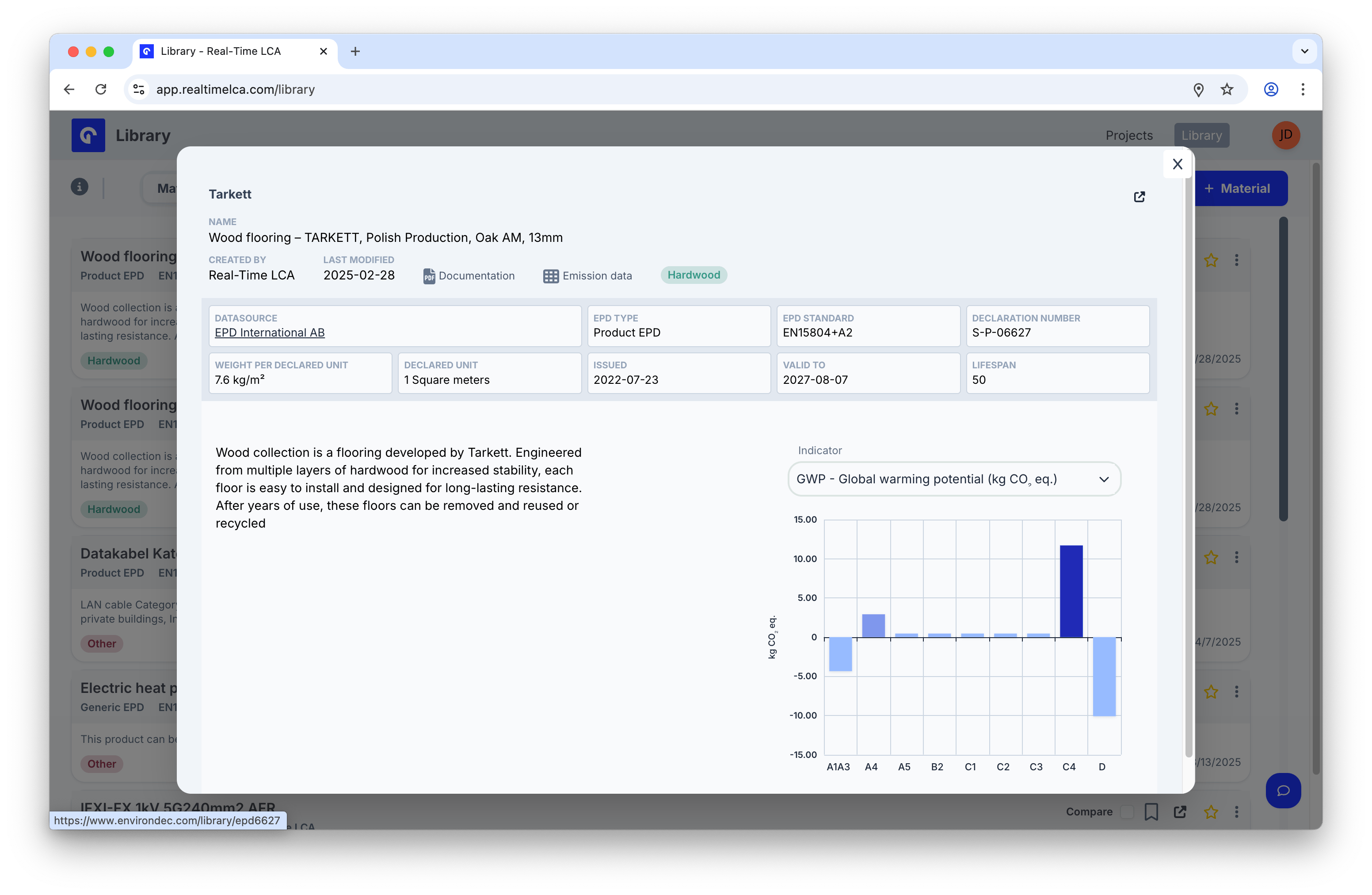 The header summarises everything required to assess the material:
* **Owner**, **Name**, **Created by**, and **Last modified**.
* Quick links to **Documentation** (the EPD PDF) and **Emission data**, plus tags such as *hardwood*.
* A row of facts: **Datasources**, **EPD type**, **EPD standard**, **Declaration number**, **Weight per declared unit**, **Declared unit**, **Issued**, **Valid to**, and **Lifespan**.
* A short description on the left and an emissions chart on the right.
### Switch the displayed indicator
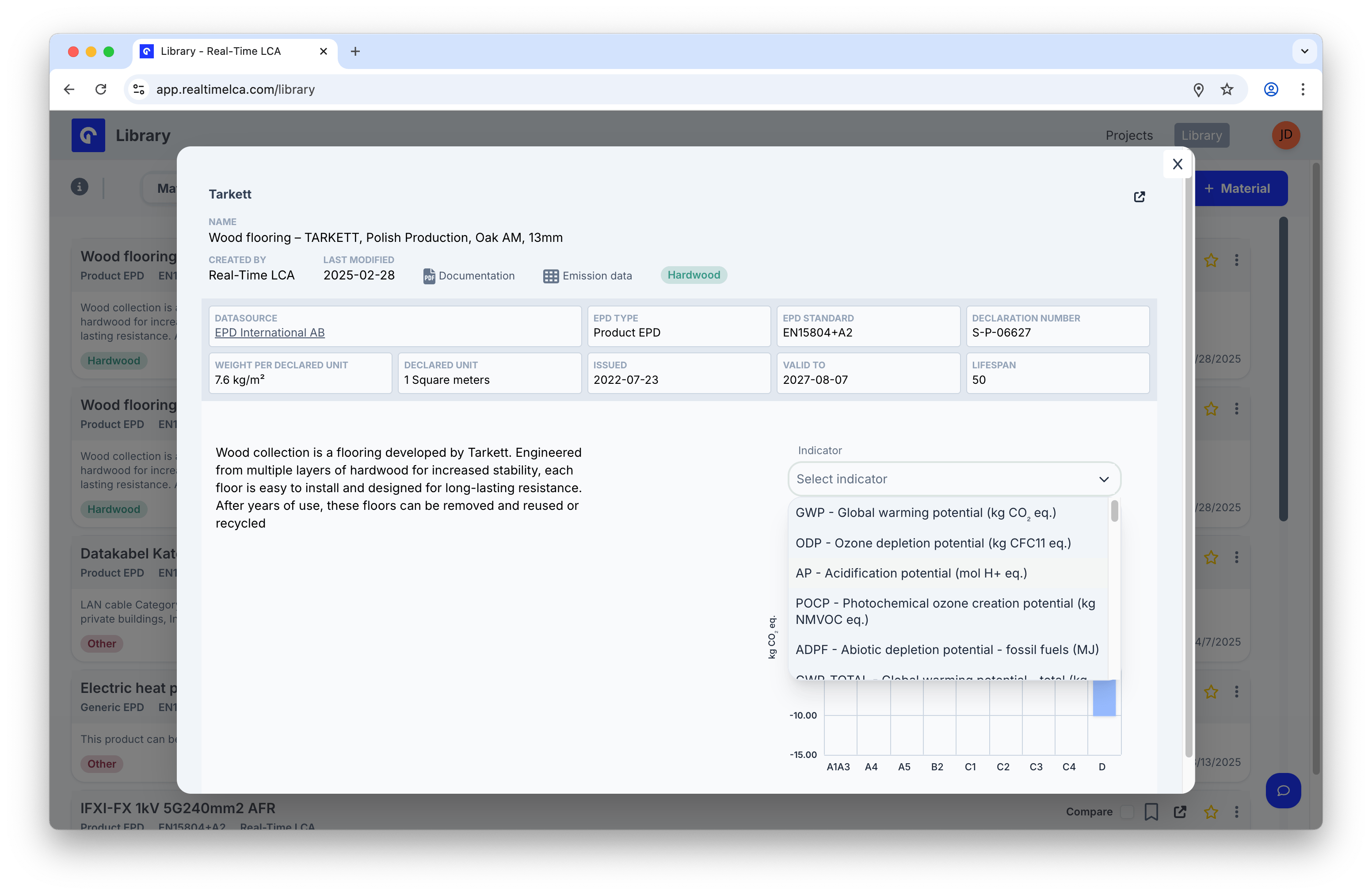
Use the **Indicator** dropdown above the chart to view any of the environmental indicators reported on the EPD — for example, **GWP**, **ODP**, **AP**, **POCP**, or **ADPF**.
The header summarises everything required to assess the material:
* **Owner**, **Name**, **Created by**, and **Last modified**.
* Quick links to **Documentation** (the EPD PDF) and **Emission data**, plus tags such as *hardwood*.
* A row of facts: **Datasources**, **EPD type**, **EPD standard**, **Declaration number**, **Weight per declared unit**, **Declared unit**, **Issued**, **Valid to**, and **Lifespan**.
* A short description on the left and an emissions chart on the right.
### Switch the displayed indicator
Use the **Indicator** dropdown above the chart to view any of the environmental indicators reported on the EPD — for example, **GWP**, **ODP**, **AP**, **POCP**, or **ADPF**.
 ### See all lifecycle stages
The Overview chart highlights the modules with values for the selected indicator (A1–A3, A4, A5, B1–B7, C1–C4, and D). For the full numeric breakdown, switch to the **Lifecycle Stages** view.
### See all lifecycle stages
The Overview chart highlights the modules with values for the selected indicator (A1–A3, A4, A5, B1–B7, C1–C4, and D). For the full numeric breakdown, switch to the **Lifecycle Stages** view.
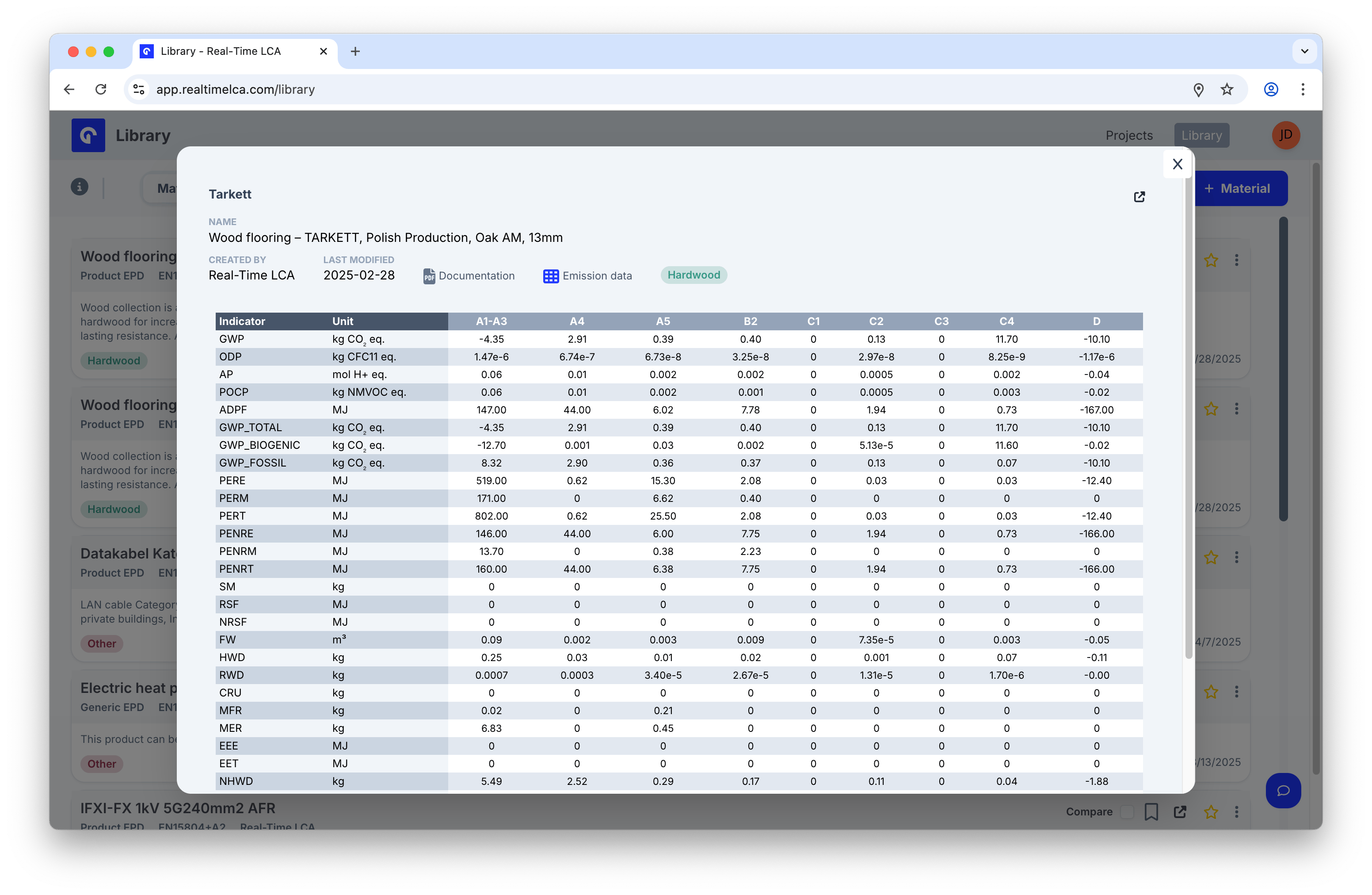 Every indicator is listed with its unit and the value for each module — useful when you need exact numbers for reporting.
### Expand to a full page
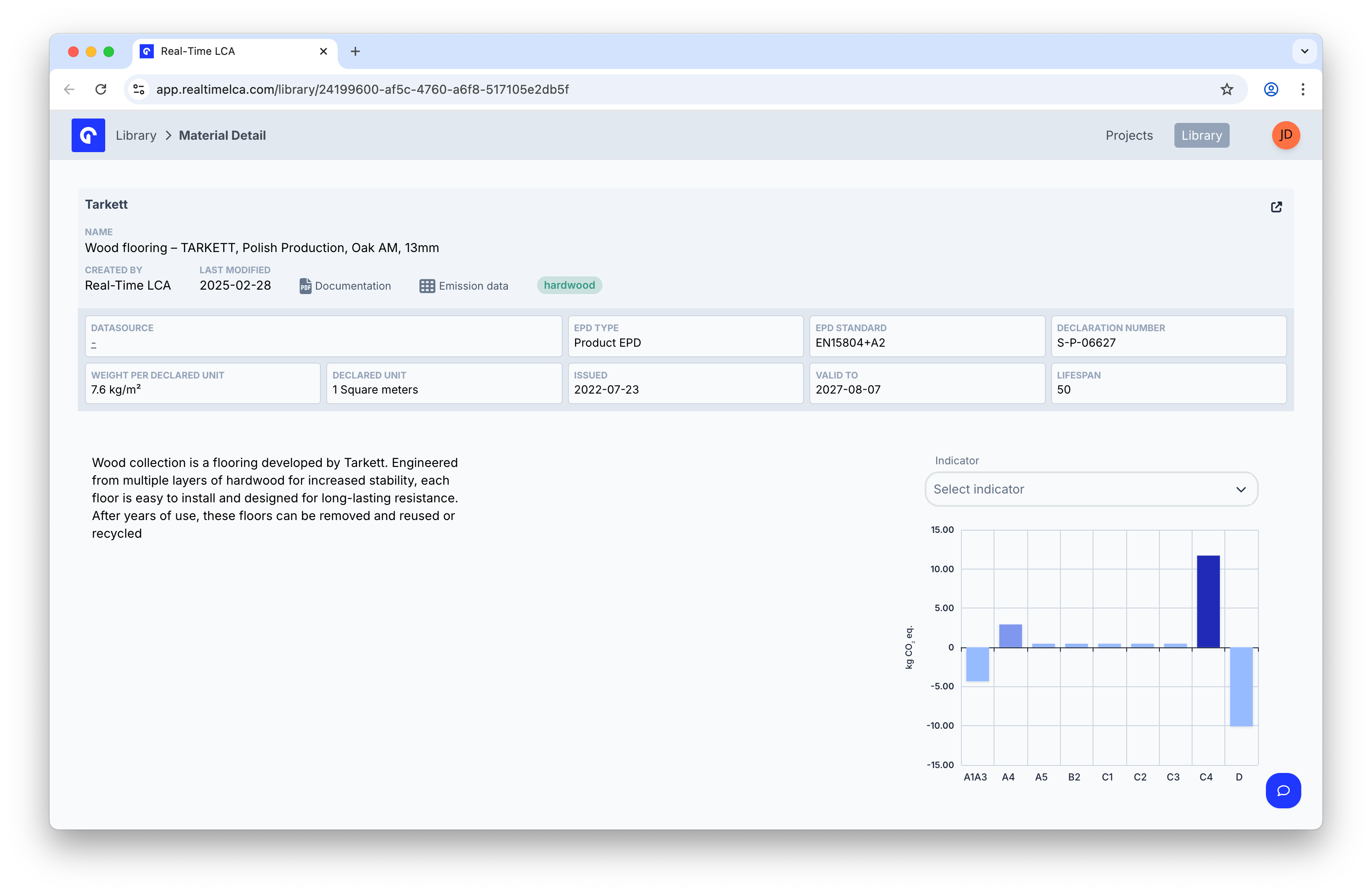
The icon in the top right of the panel opens the material on its own page.
Every indicator is listed with its unit and the value for each module — useful when you need exact numbers for reporting.
### Expand to a full page
The icon in the top right of the panel opens the material on its own page.
 The full-page view shows the same data with more room — handy when sharing a direct link with a teammate.
 ### Open the EPD document
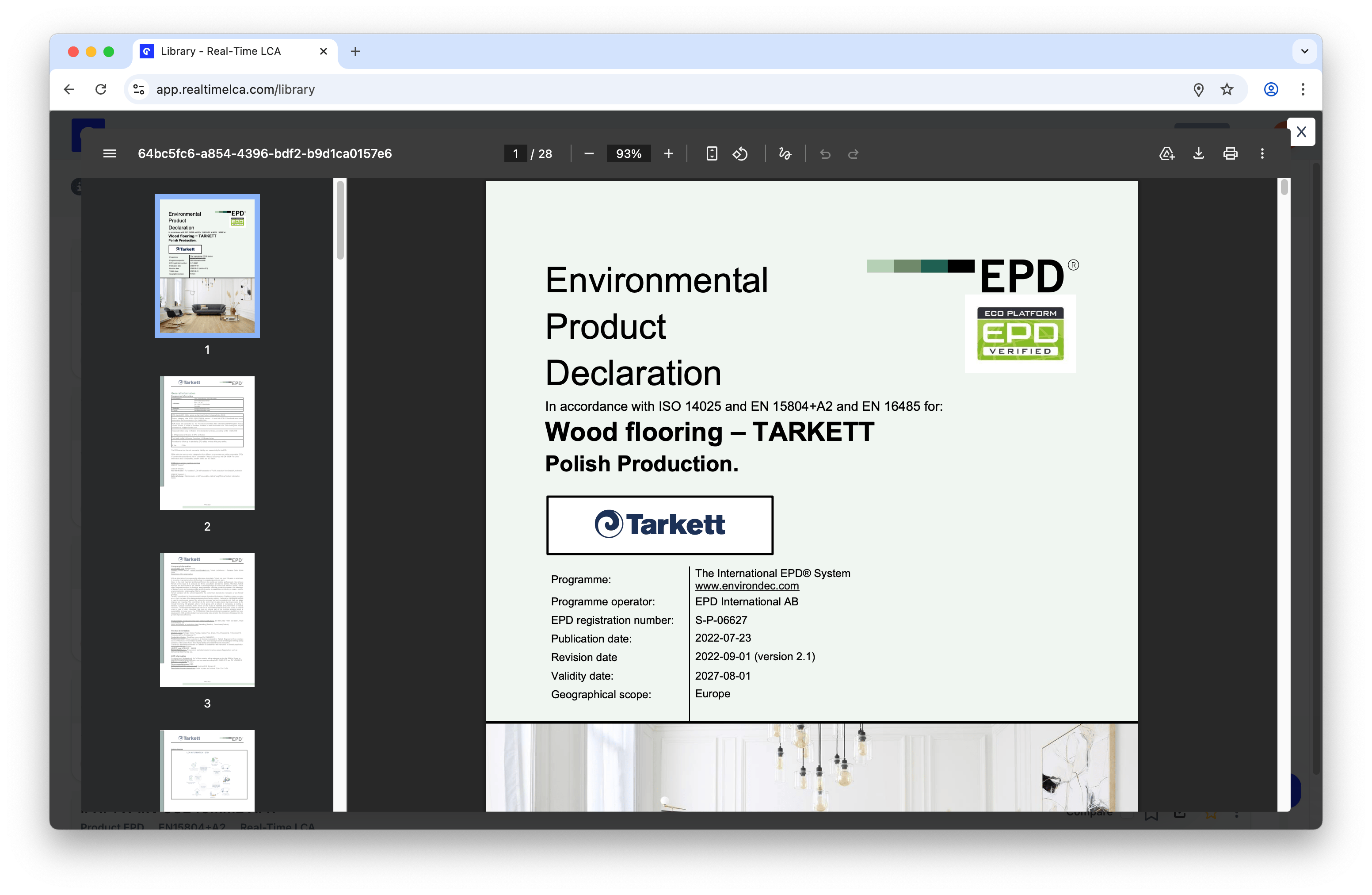
When a row shows a **PDF** badge, click it to open the EPD document directly in the browser.
### Open the EPD document
When a row shows a **PDF** badge, click it to open the EPD document directly in the browser.
 ## Search
The search bar across the top of the Library searches by **material name** (and synonyms). Results update as you type.
## Search
The search bar across the top of the Library searches by **material name** (and synonyms). Results update as you type.
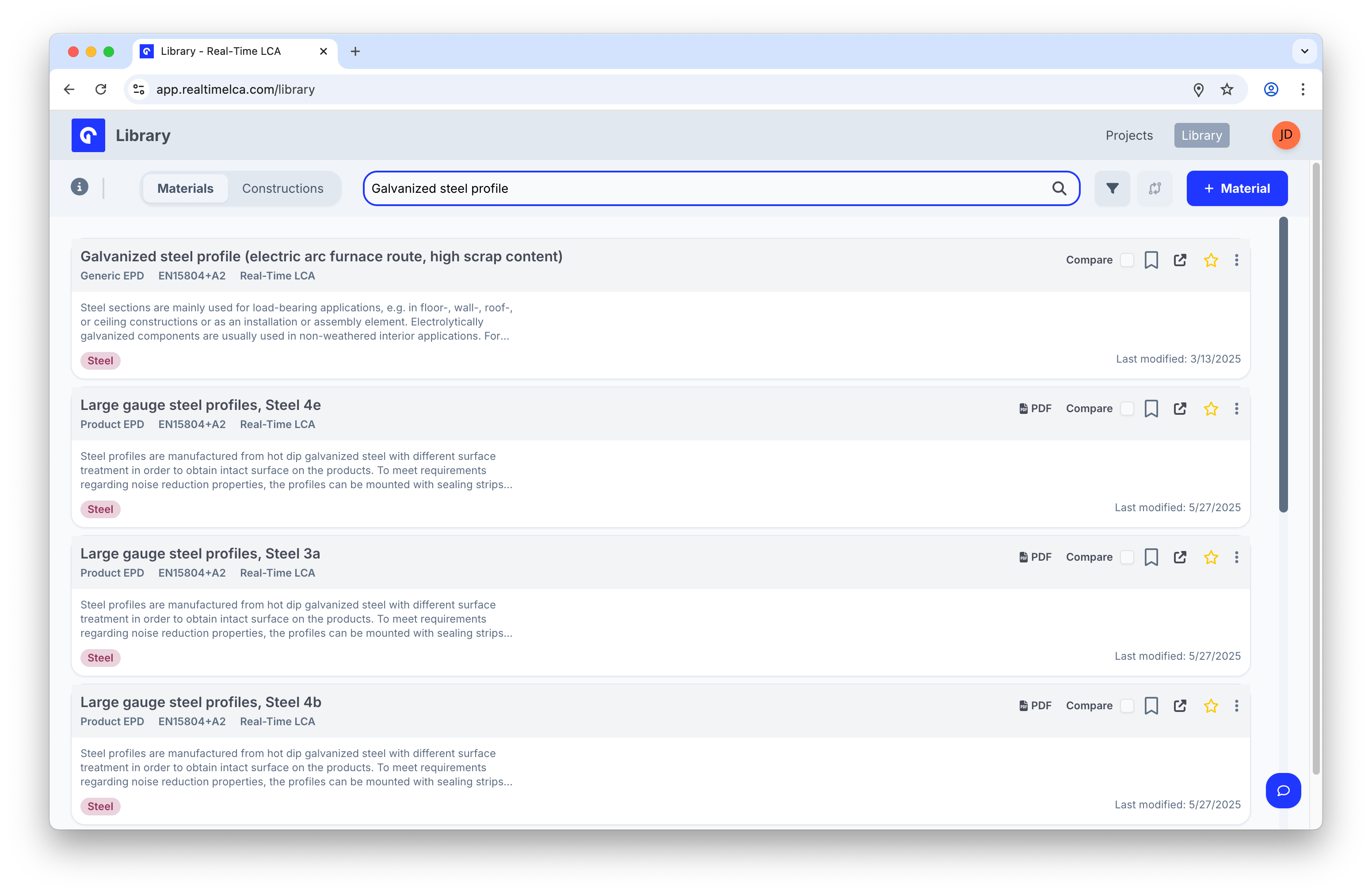 Search works alongside the filters and the **Materials/Constructions** tab — narrowing one does not reset the others.
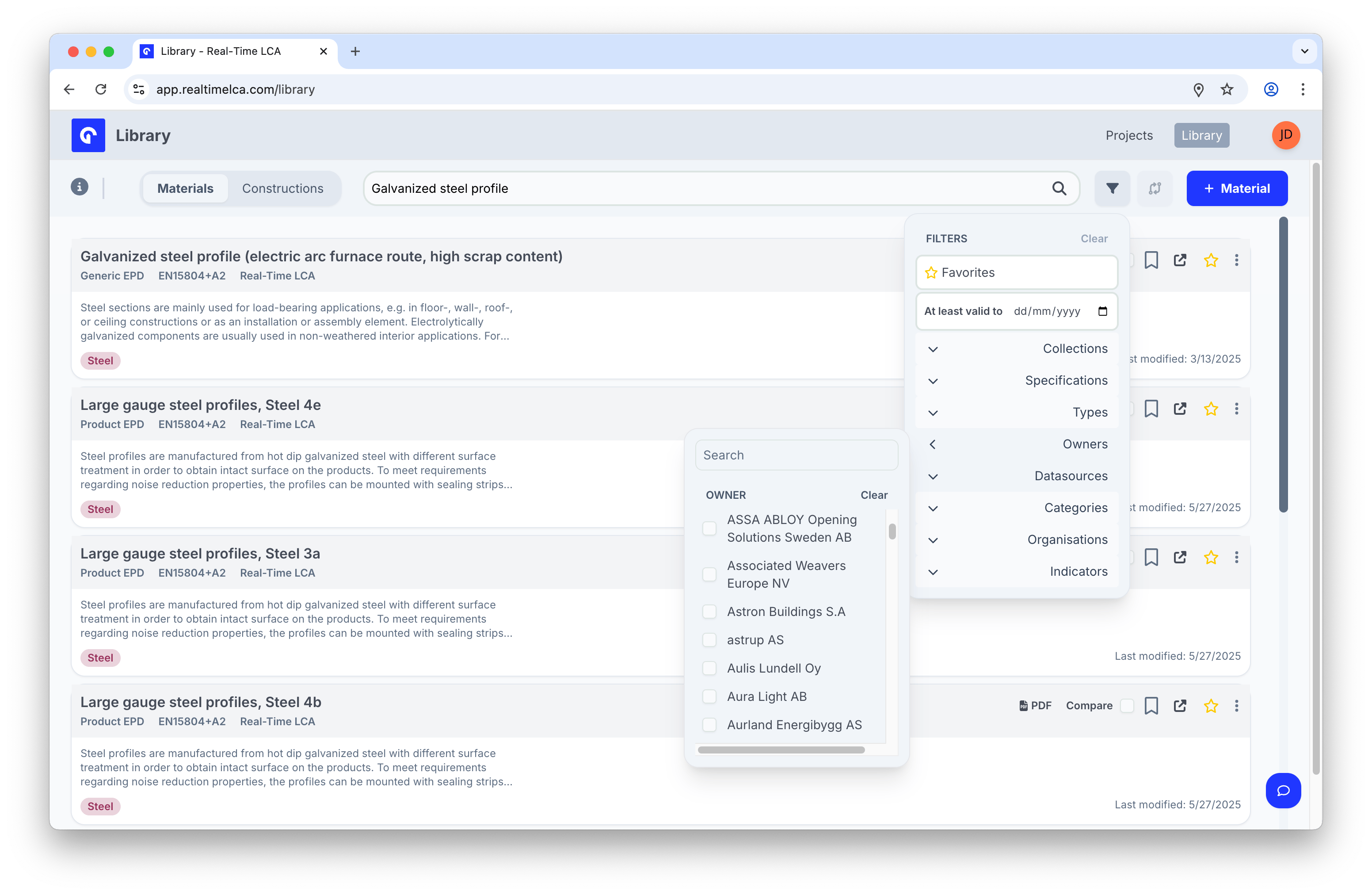
## Filter
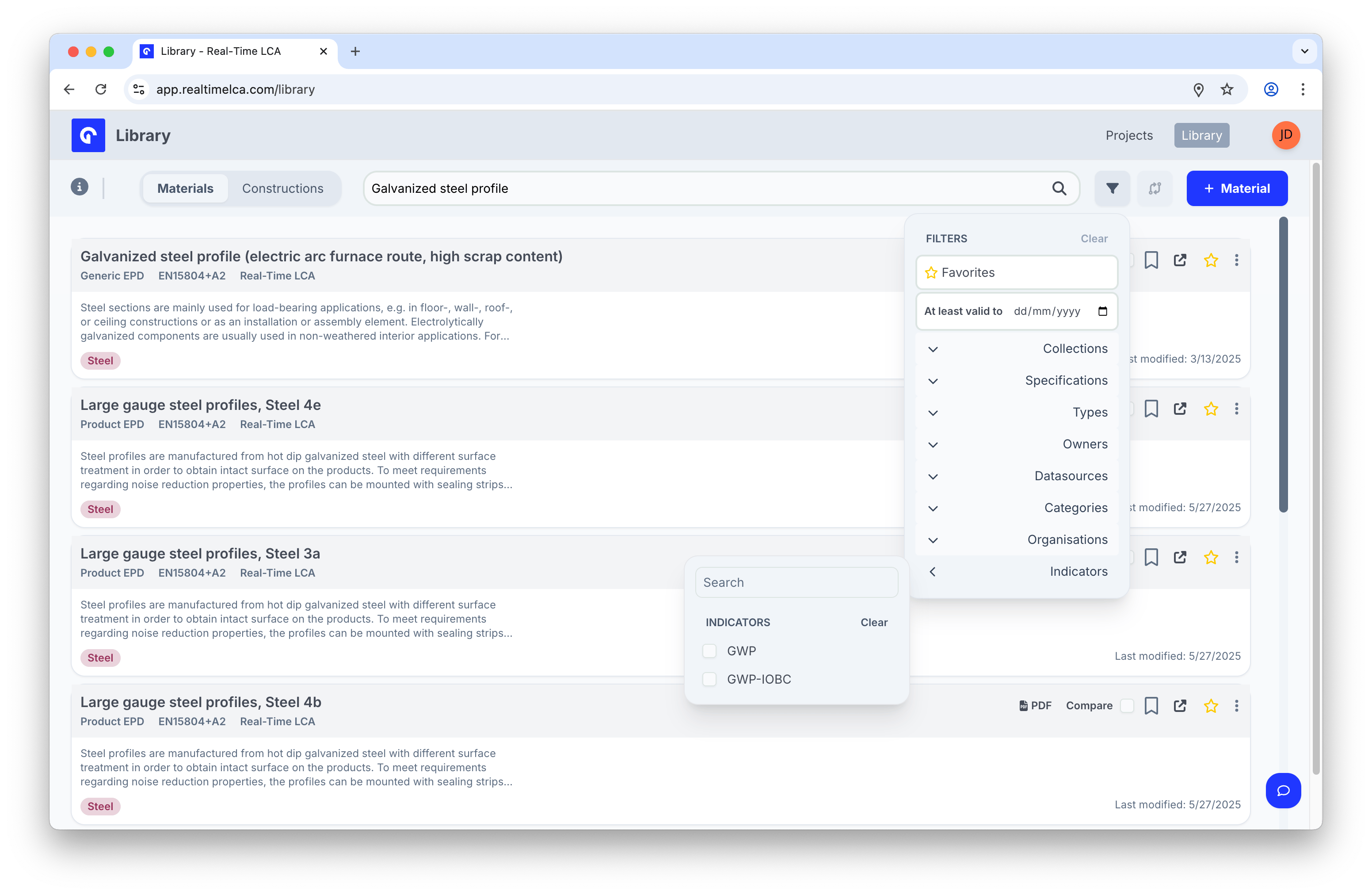
Click the funnel icon next to the search bar to open the **Filters** panel.
Search works alongside the filters and the **Materials/Constructions** tab — narrowing one does not reset the others.
## Filter
Click the funnel icon next to the search bar to open the **Filters** panel.
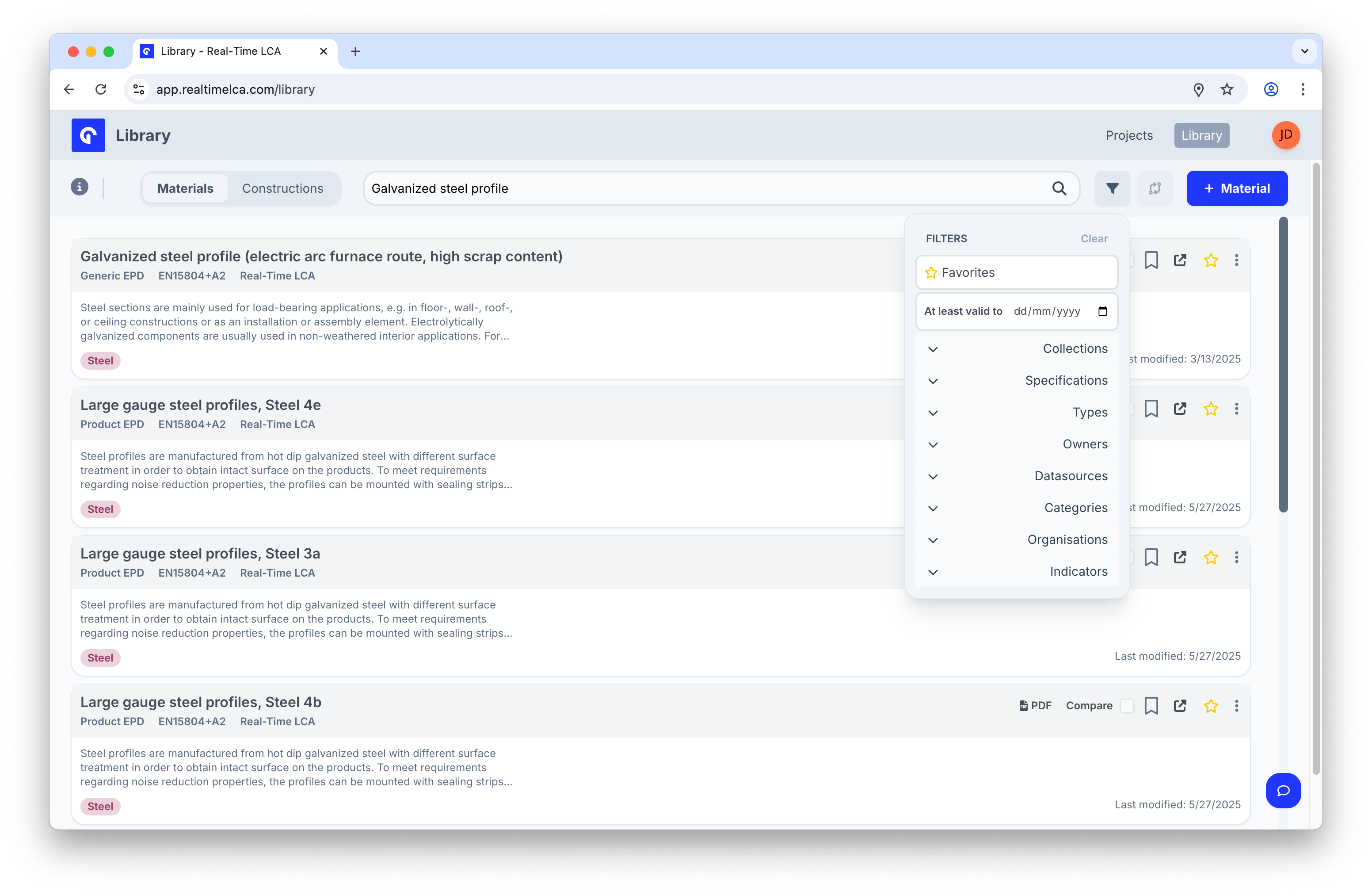 From top to bottom:
* **Favorites** — only the materials you have starred.
* **At least valid to** — show only EPDs that remain valid on or after the date you pick.
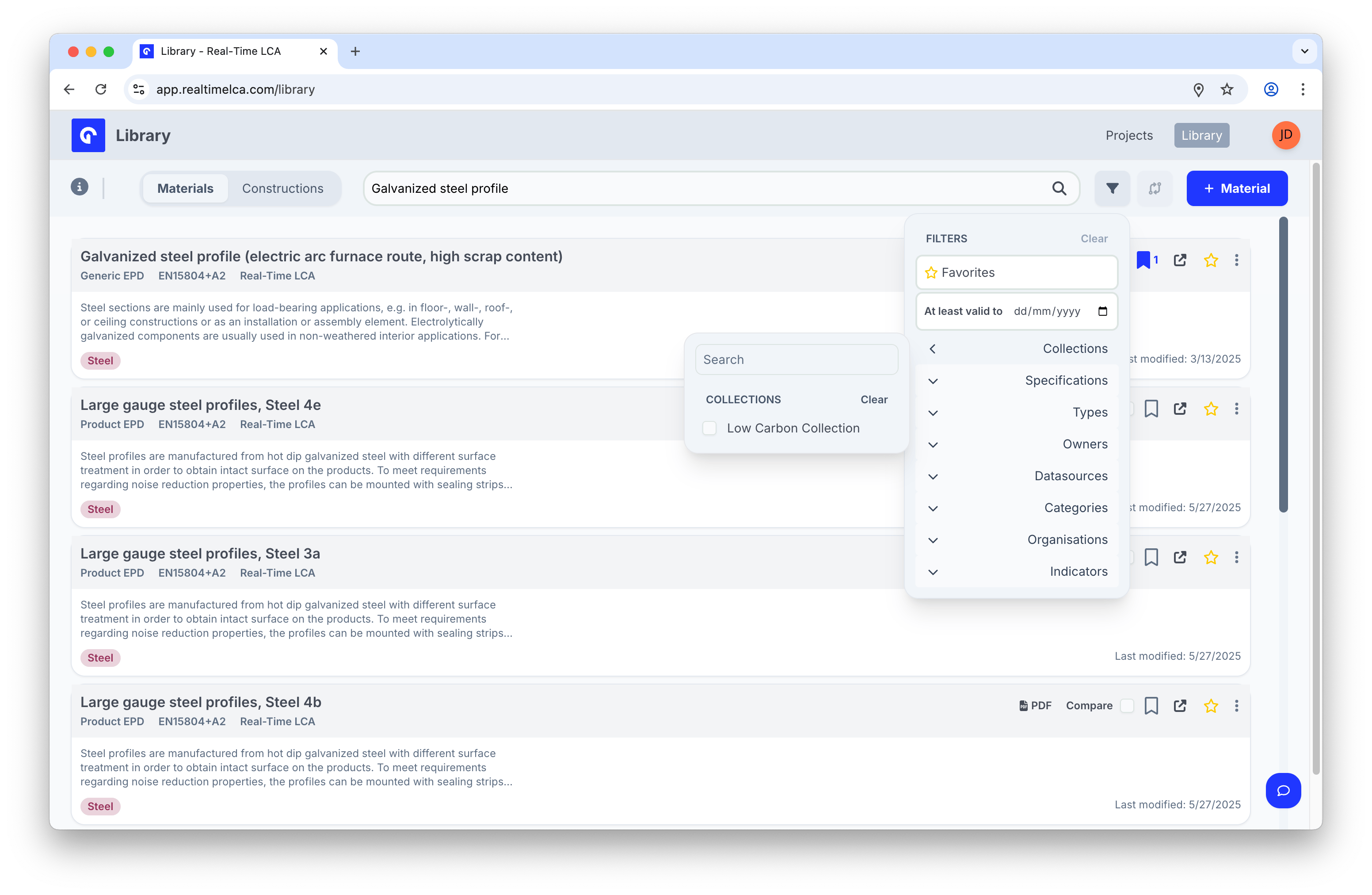
* **Collections** — narrow to materials saved to a specific collection.
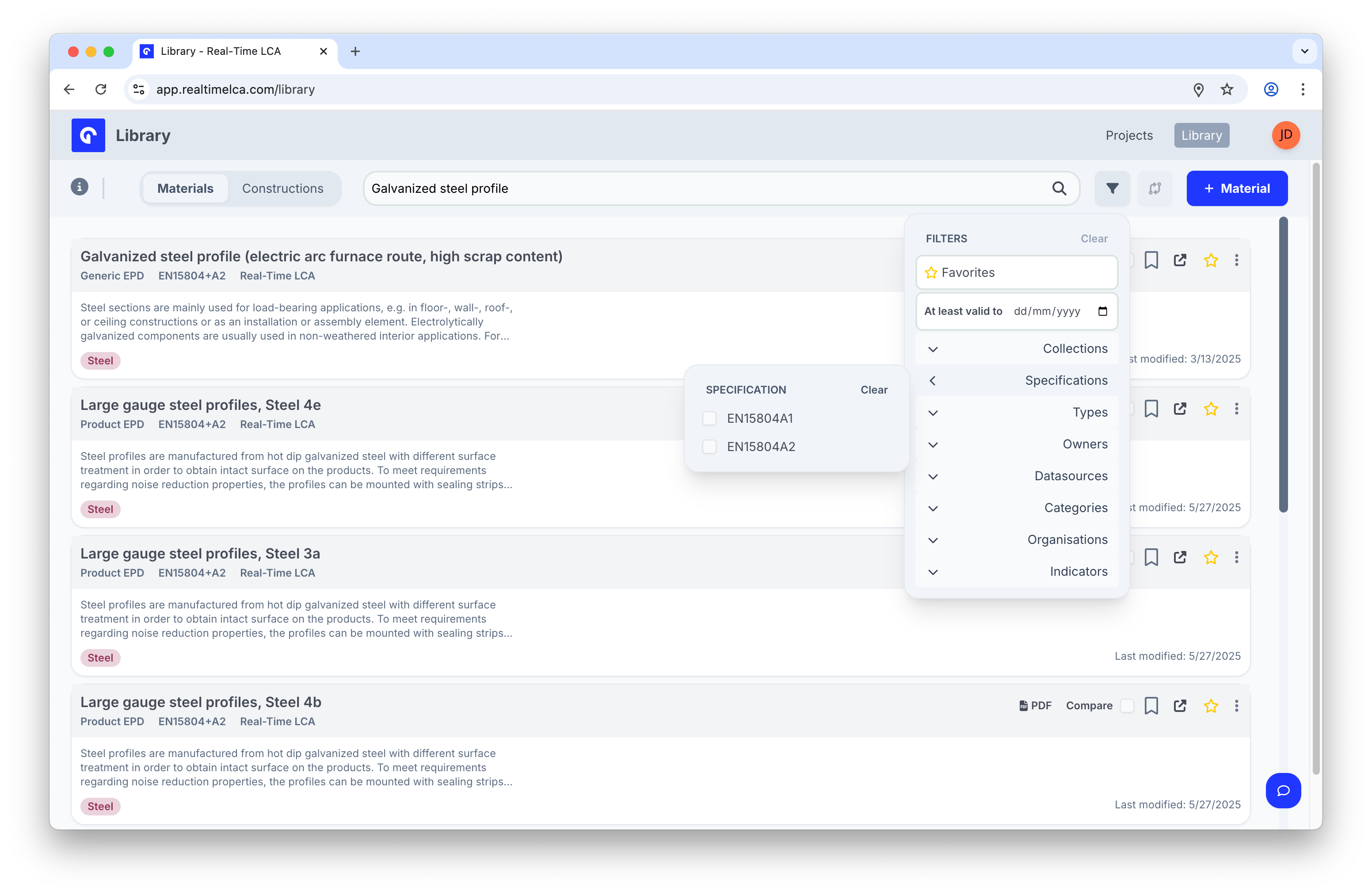
* **Specifications** — filter by the EPD specification standard (for example, *EN15804+A2*).
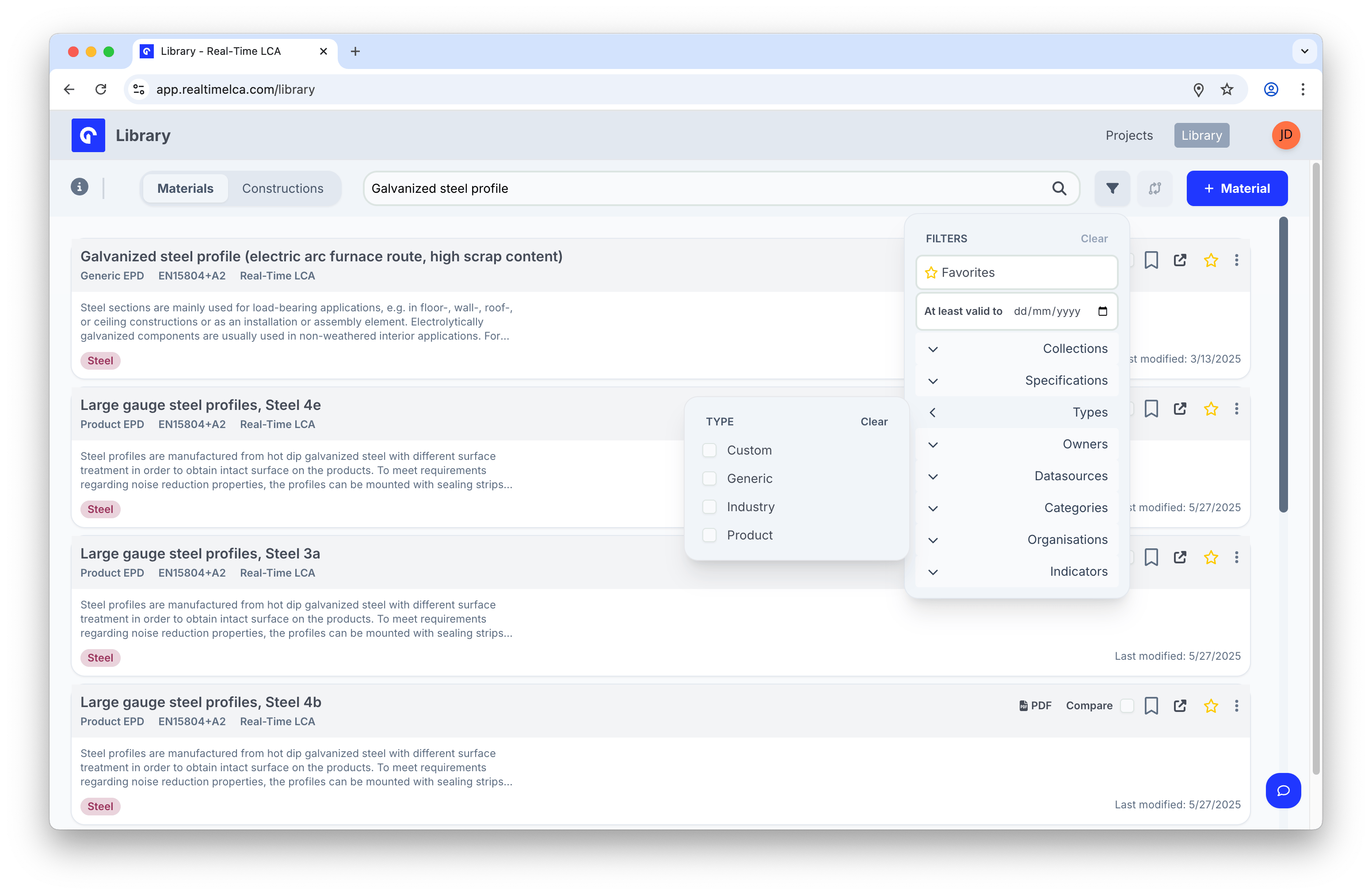
* **Types** — *Custom*, *Generic*, *Industry*, or *Product*.
* **Owners** — the manufacturer or organization that issued the EPD.
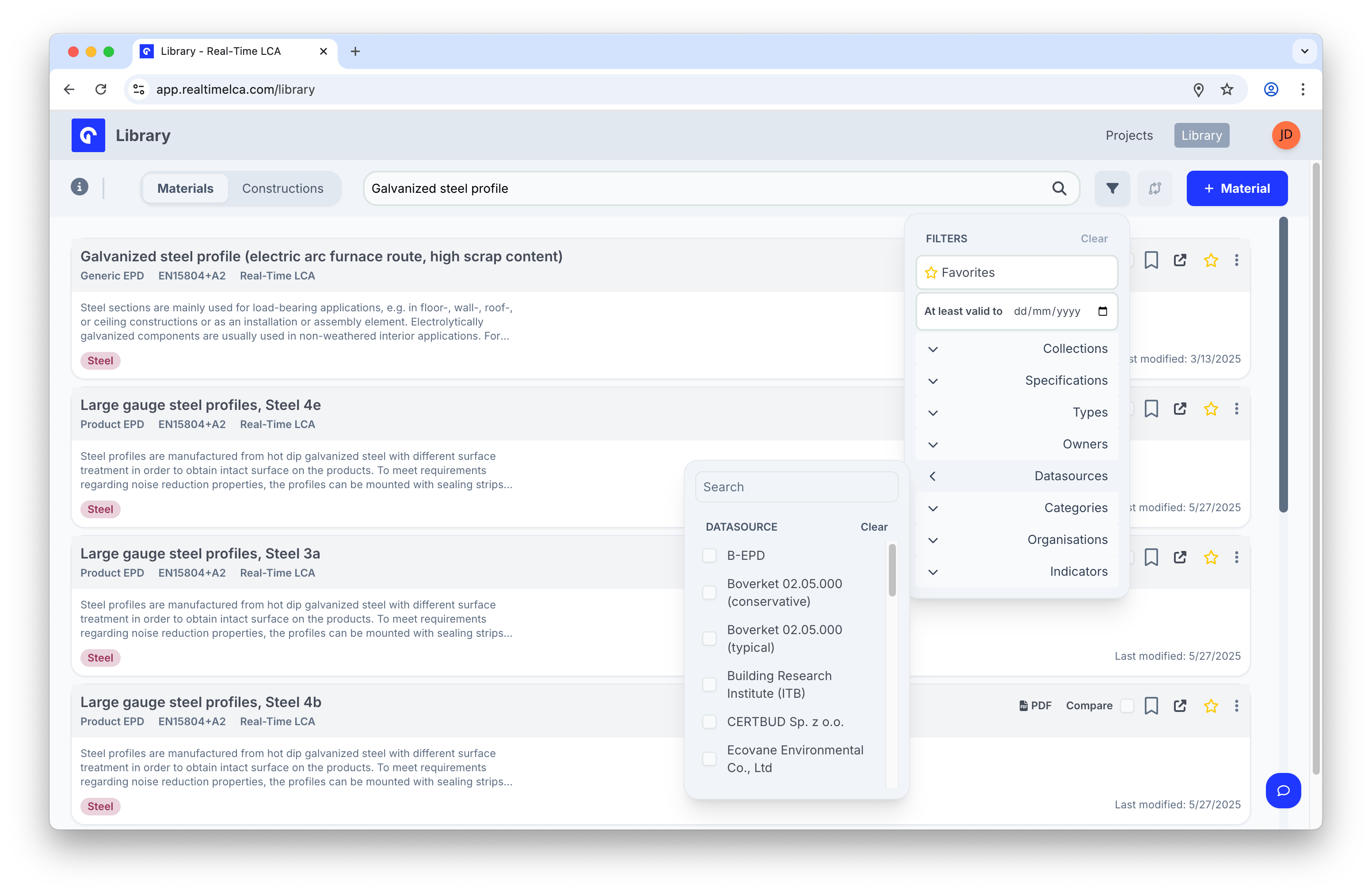
* **Datasources** — the upstream database (for example, *Ökobaudat 2023-I*, *EPD Danmark*).
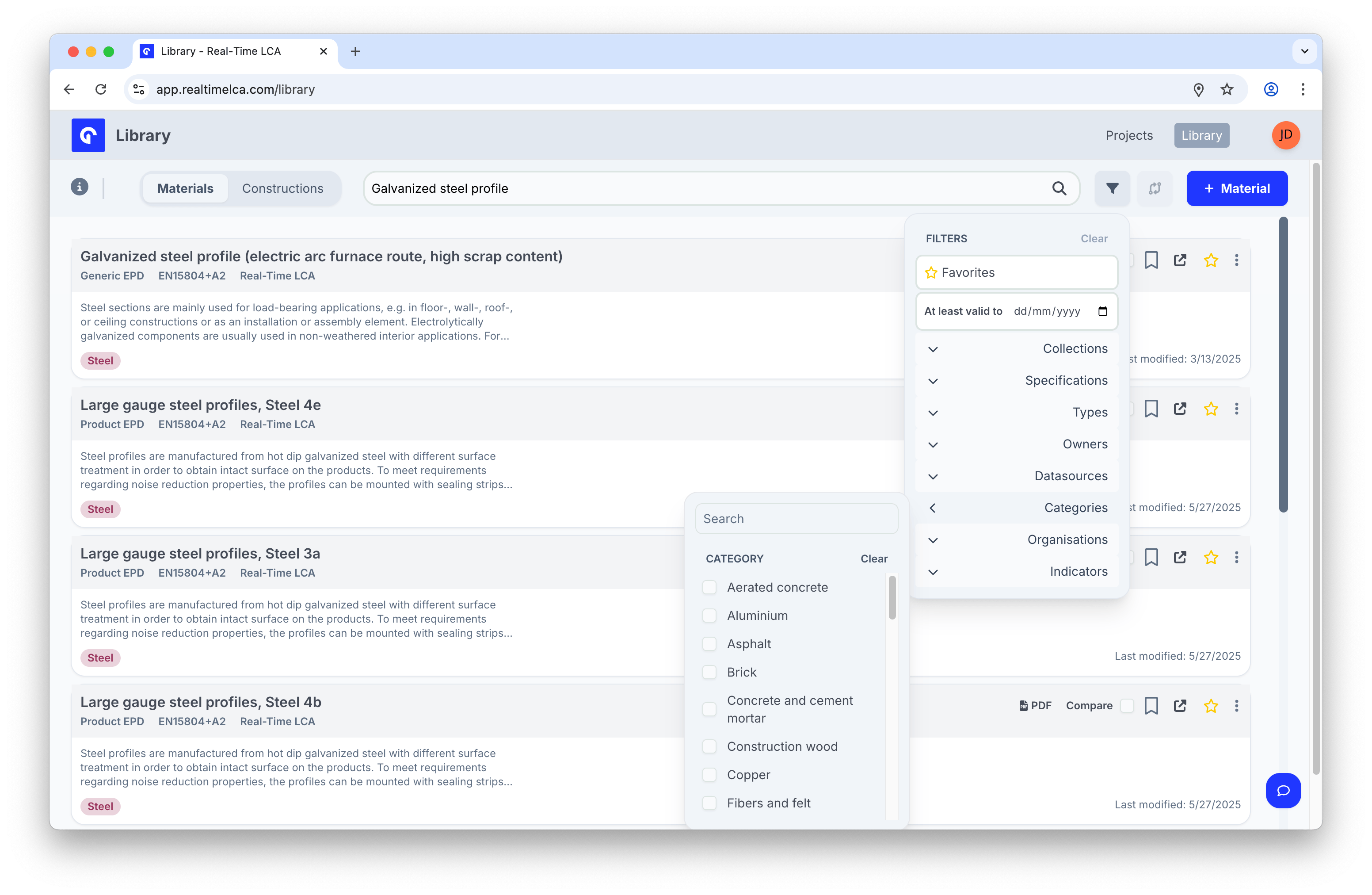
* **Categories** — material category (*Aluminium*, *Brick*, *Steel*…).
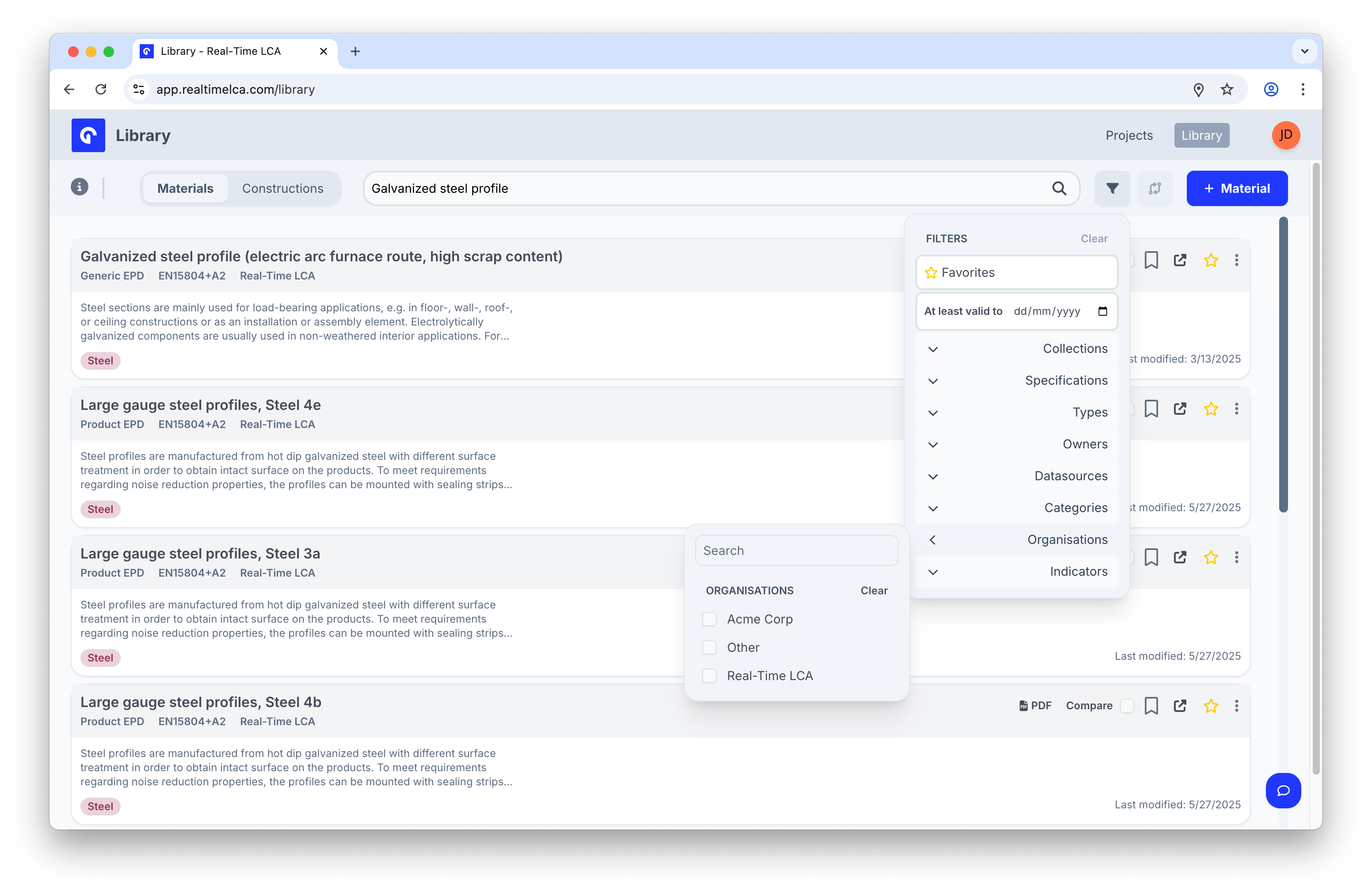
* **Organisations** — which workspace owns the material.
* **Indicators** — show only materials that report the selected indicator (for example, *GWP*).
You can combine filters freely; click **Clear** at the top of the panel to reset all of them.
From top to bottom:
* **Favorites** — only the materials you have starred.
* **At least valid to** — show only EPDs that remain valid on or after the date you pick.
* **Collections** — narrow to materials saved to a specific collection.
* **Specifications** — filter by the EPD specification standard (for example, *EN15804+A2*).
* **Types** — *Custom*, *Generic*, *Industry*, or *Product*.
* **Owners** — the manufacturer or organization that issued the EPD.
* **Datasources** — the upstream database (for example, *Ökobaudat 2023-I*, *EPD Danmark*).
* **Categories** — material category (*Aluminium*, *Brick*, *Steel*…).
* **Organisations** — which workspace owns the material.
* **Indicators** — show only materials that report the selected indicator (for example, *GWP*).
You can combine filters freely; click **Clear** at the top of the panel to reset all of them.
 ## Favorite a material
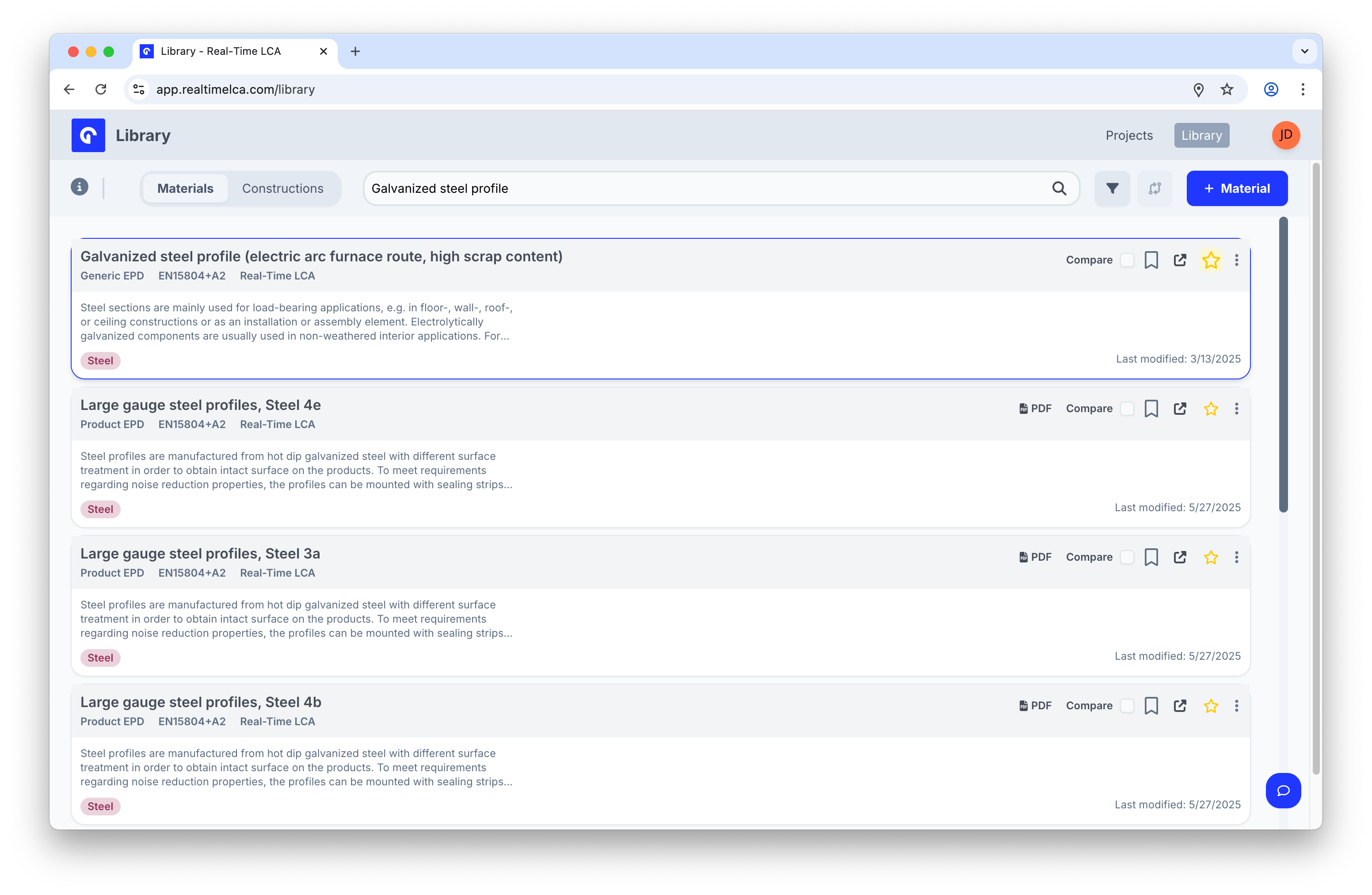
Click the **star** on a row to mark a material as a favorite. Favorited rows are highlighted, and you can find them quickly with the **Favorites** filter at the top of the filters panel.
## Favorite a material
Click the **star** on a row to mark a material as a favorite. Favorited rows are highlighted, and you can find them quickly with the **Favorites** filter at the top of the filters panel.
 ## Compare materials
Use **Compare** on each row to add a material to the comparison set. The funnel icon shows a counter with the number of materials currently selected.
## Compare materials
Use **Compare** on each row to add a material to the comparison set. The funnel icon shows a counter with the number of materials currently selected.
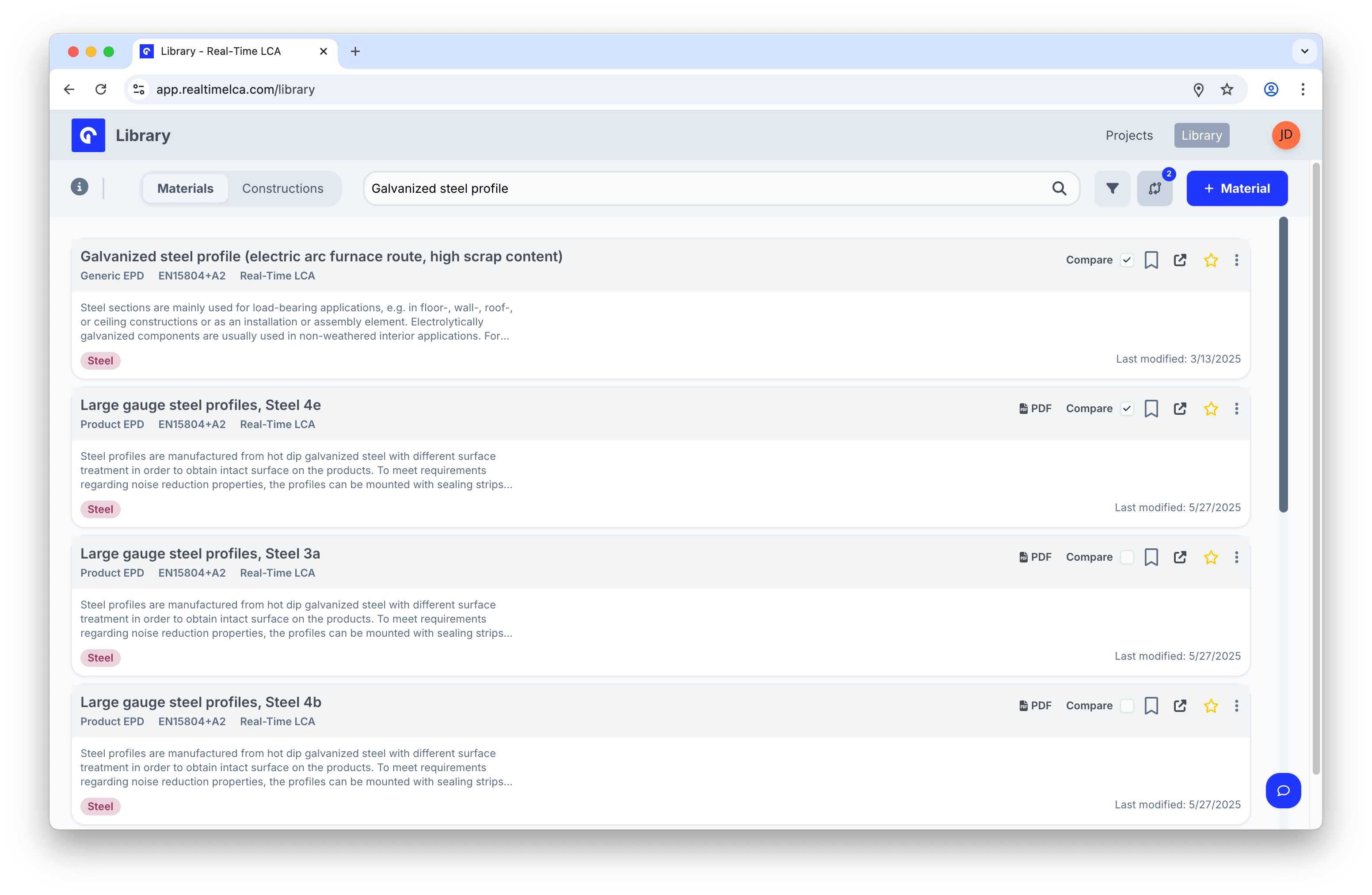 Click the compare icon in the toolbar to open the **Compare** view.
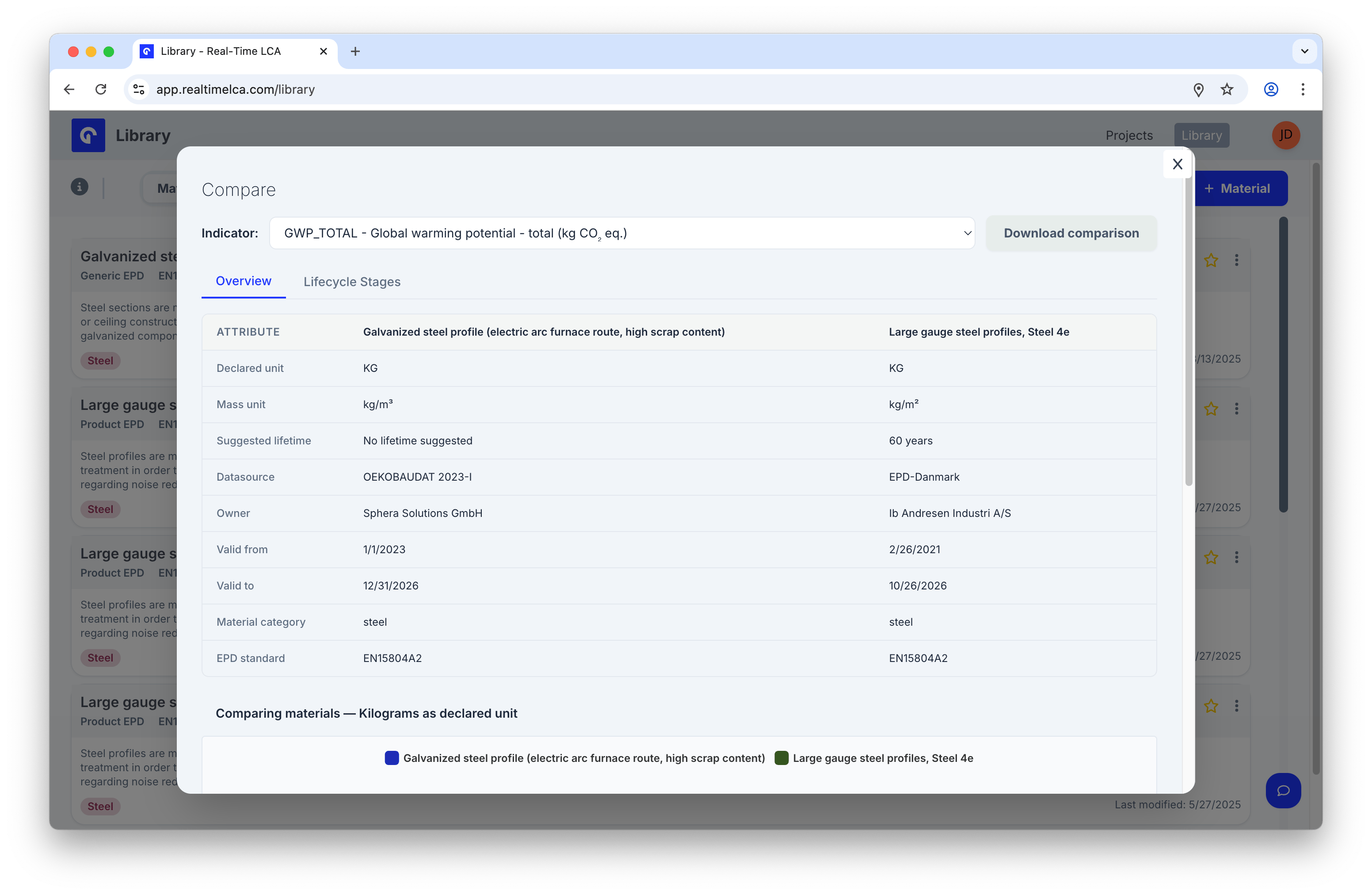 The Compare modal lets you:
* Switch the **Indicator** at the top to recalculate the chart for a different impact category.
* Click **Download comparison** to export the data.
* Toggle between **Overview** (side-by-side attributes) and **Lifecycle Stages** (per-module values).
* Read the underlying numbers in a unified table.
Scroll down to the **Comparing materials** chart for a per-module visual comparison.
The Compare modal lets you:
* Switch the **Indicator** at the top to recalculate the chart for a different impact category.
* Click **Download comparison** to export the data.
* Toggle between **Overview** (side-by-side attributes) and **Lifecycle Stages** (per-module values).
* Read the underlying numbers in a unified table.
Scroll down to the **Comparing materials** chart for a per-module visual comparison.
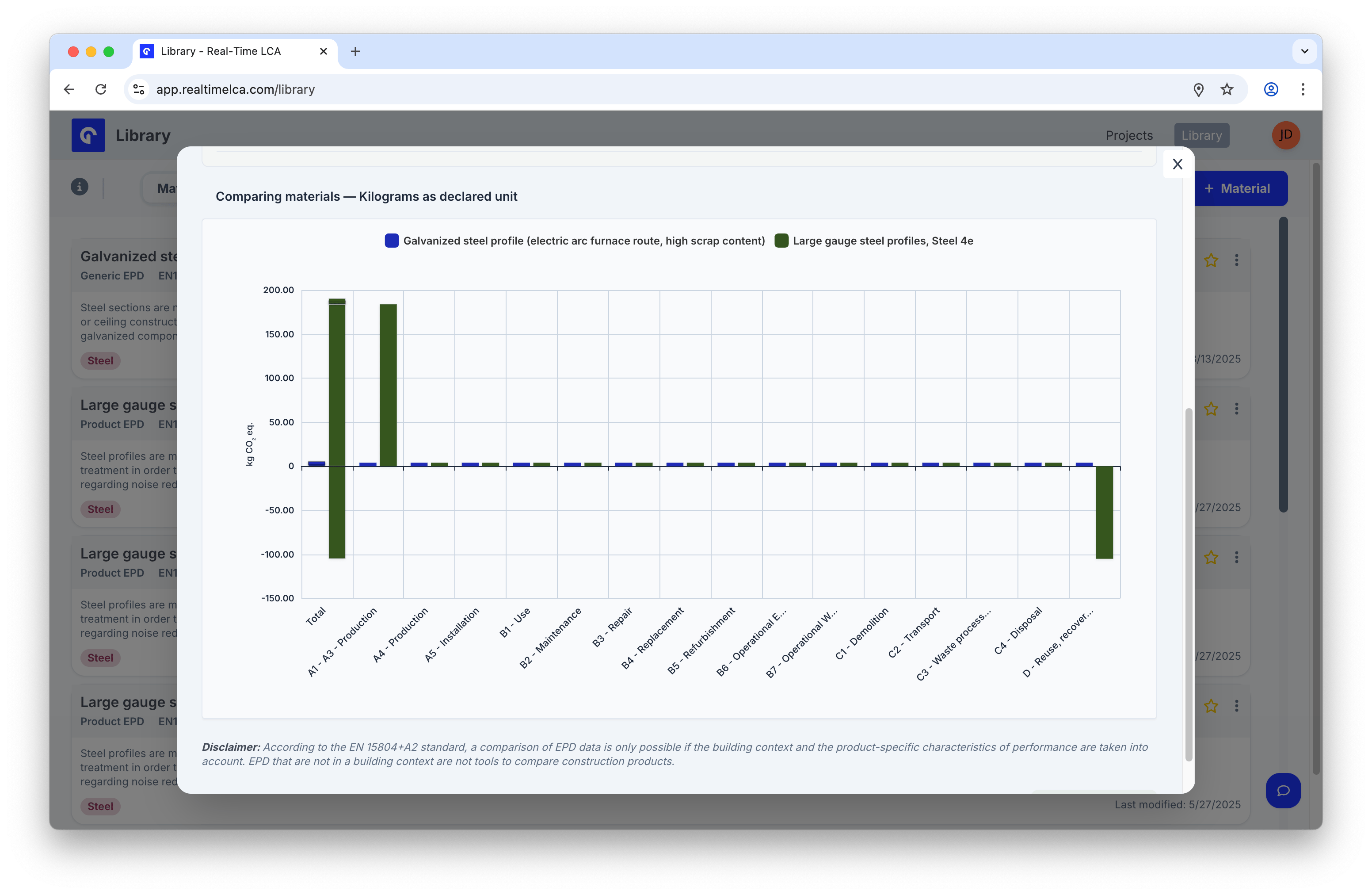 Per EN 15804+A2, EPD data is only directly comparable when the building context and the product's specific performance characteristics are taken into account. The disclaimer at the bottom of the Compare view repeats this.
## Clone a material
To start a new material from an existing one — for example, to author a variant — open the row's **⋮ overflow menu** and choose **Clone**.
Per EN 15804+A2, EPD data is only directly comparable when the building context and the product's specific performance characteristics are taken into account. The disclaimer at the bottom of the Compare view repeats this.
## Clone a material
To start a new material from an existing one — for example, to author a variant — open the row's **⋮ overflow menu** and choose **Clone**.
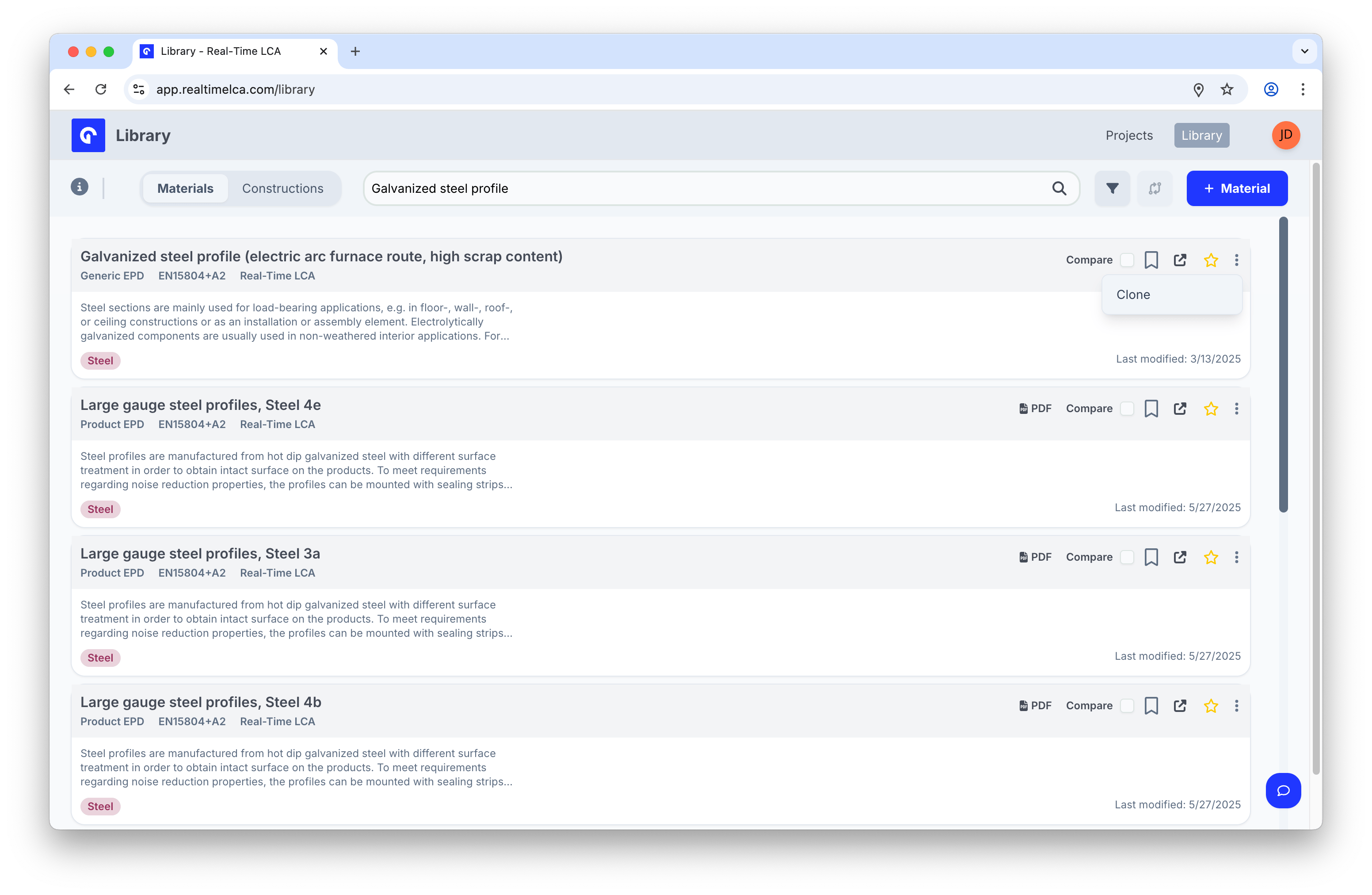 Cloning copies the material's metadata and indicator values into the [Create Material](/user-guide/library/materials/create-materials) form so you can tweak whatever you need before saving.