> ## Documentation Index
> Fetch the complete documentation index at: https://docs.realtimelca.com/llms.txt
> Use this file to discover all available pages before exploring further.
# Library
> Browse materials and constructions, build collections, and create your own EPDs.
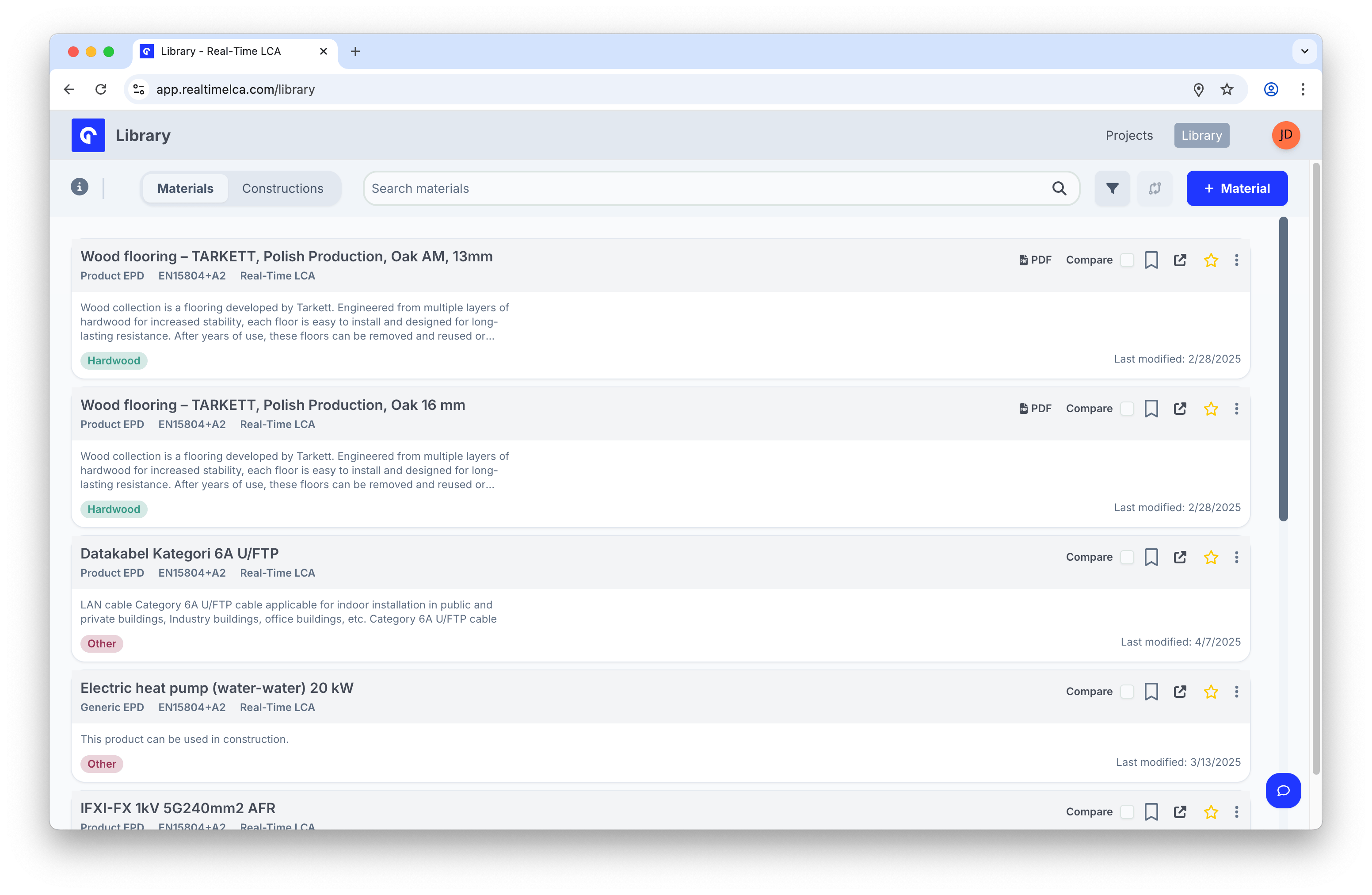
The **Library** is the shared catalog of materials and constructions that your projects pull from when you map a model. From here you can:
* Browse a curated set of **Product EPDs**, **Generic EPDs**, and **Industry EPDs** maintained by Real-Time LCA and your organization.
* Build **Collections** to group the materials your team uses regularly.
* **Create** new materials — either published EPDs you have a document for, or custom (non-verified) entries when no EPD exists yet.
* Inspect **Constructions** that combine several materials into reusable build-ups.
 ## In this section
Browse, search, filter, compare, clone, favorite, and group materials.
Explore reusable build-ups composed of multiple materials.
## Switch between Materials and Constructions
The two tabs at the top of the Library switch the list between **Materials** (single products) and **Constructions** (multi-layer build-ups). The search box, filter panel, and toolbar to the right adapt to the active tab.
## In this section
Browse, search, filter, compare, clone, favorite, and group materials.
Explore reusable build-ups composed of multiple materials.
## Switch between Materials and Constructions
The two tabs at the top of the Library switch the list between **Materials** (single products) and **Constructions** (multi-layer build-ups). The search box, filter panel, and toolbar to the right adapt to the active tab.