> ## Documentation Index
> Fetch the complete documentation index at: https://docs.realtimelca.com/llms.txt
> Use this file to discover all available pages before exploring further.
# Help and feedback
> Reach the docs, the community, and the product team from anywhere in the app.
A help widget is available on every page of Real-Time LCA. Use it to jump into the documentation, ask the community, or send the product team an issue or idea — without leaving what you are working on.
## Open the help widget
Click the blue **?** button in the bottom-right corner of the app to open the **Help options** panel.
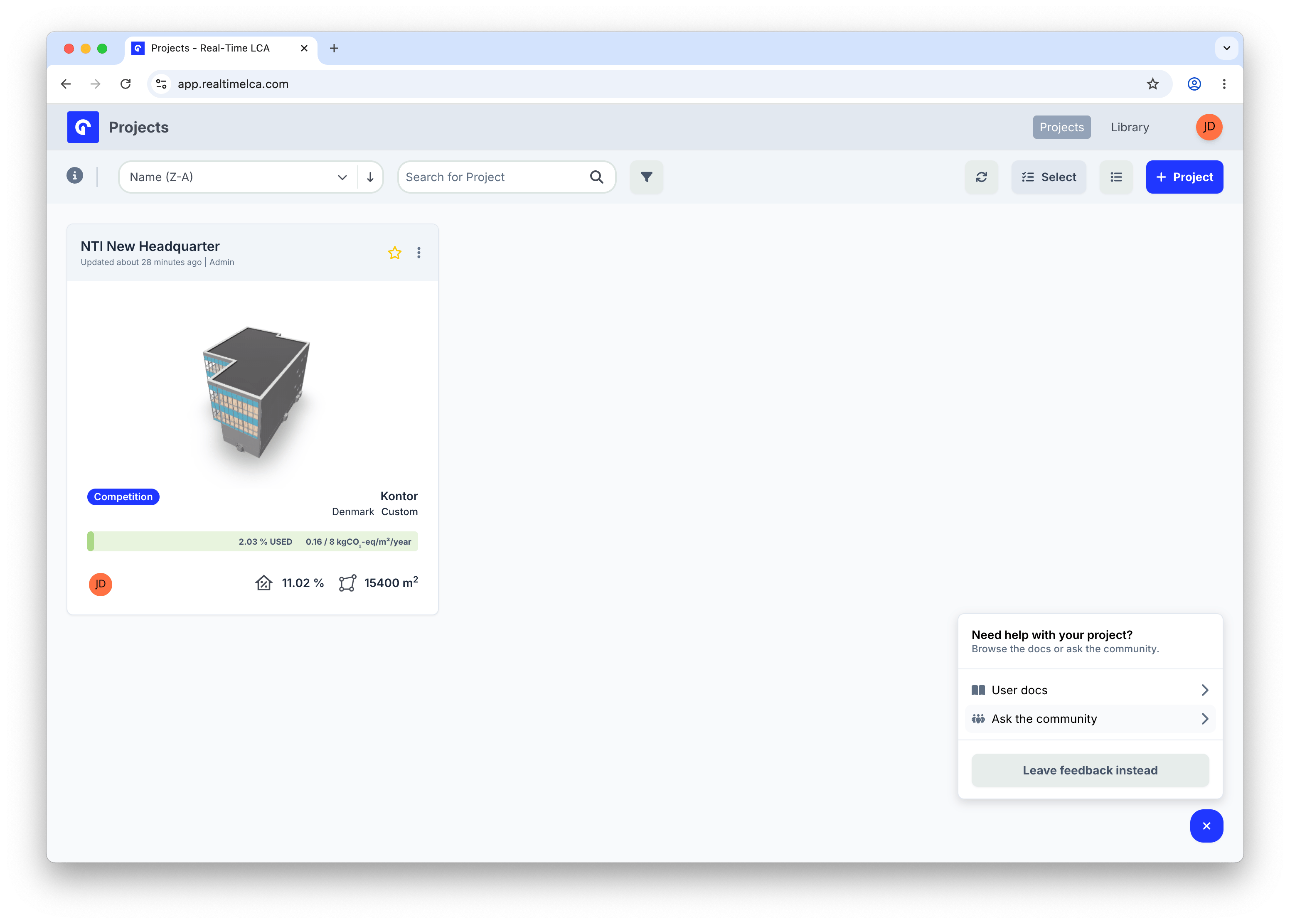 From here you can:
* **User docs** — open this documentation site in a new tab.
* **Ask the community** — go to [community.realtimelca.com](https://community.realtimelca.com) to search existing threads or start a new one. See [Community](/get-involved/community) for what each category is for.
* **Leave feedback instead** — switch to the feedback widget to report an issue or share an idea directly with the product team.
## Send feedback
Click **Leave feedback instead** to choose what you want to share.
From here you can:
* **User docs** — open this documentation site in a new tab.
* **Ask the community** — go to [community.realtimelca.com](https://community.realtimelca.com) to search existing threads or start a new one. See [Community](/get-involved/community) for what each category is for.
* **Leave feedback instead** — switch to the feedback widget to report an issue or share an idea directly with the product team.
## Send feedback
Click **Leave feedback instead** to choose what you want to share.
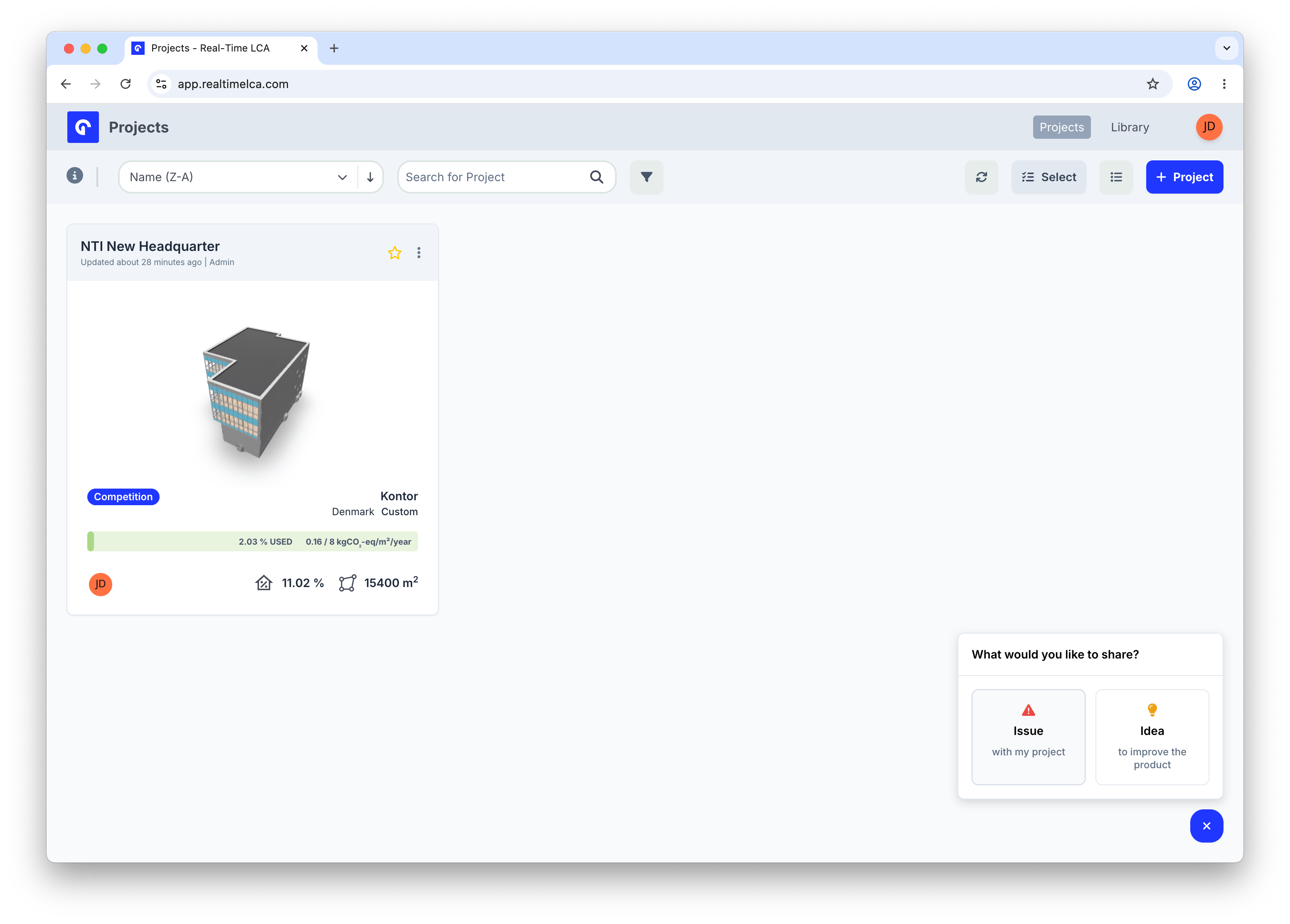 * **Issue** — something is broken or not working on the page you are on.
* **Idea** — a suggestion for how to improve the product.
### Report an issue
Selecting **Issue** opens a short form scoped to the page you opened the widget from.
* **Issue** — something is broken or not working on the page you are on.
* **Idea** — a suggestion for how to improve the product.
### Report an issue
Selecting **Issue** opens a short form scoped to the page you opened the widget from.
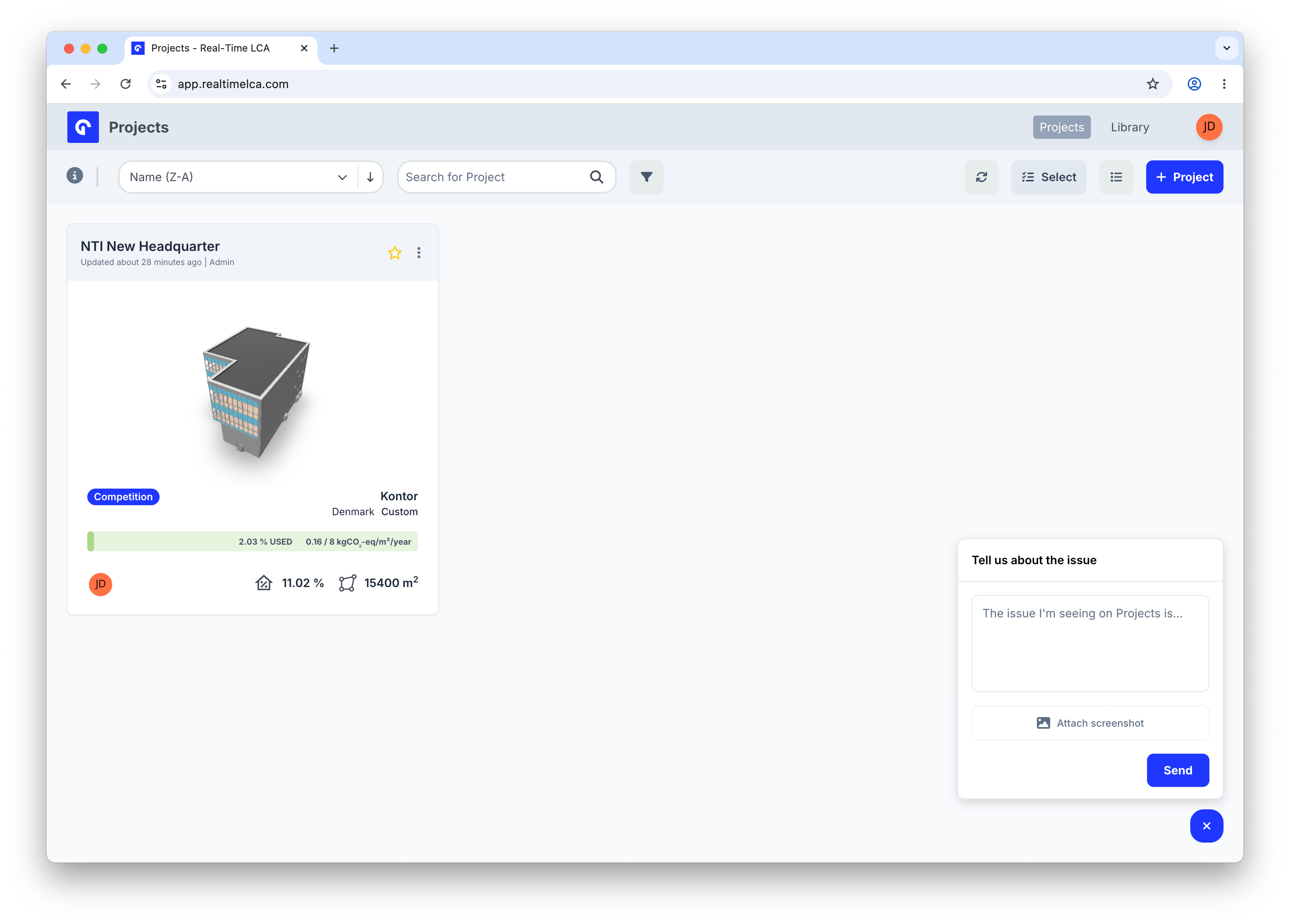 1. Describe what you are seeing in the **The issue I'm seeing on \{page} is...** field. Include what you expected and what happened instead.
2. Optionally click **Attach screenshot** to add an image.
3. Click **Send**.
### Share an idea
Selecting **Idea** opens the same kind of form for product suggestions.
1. Describe what you are seeing in the **The issue I'm seeing on \{page} is...** field. Include what you expected and what happened instead.
2. Optionally click **Attach screenshot** to add an image.
3. Click **Send**.
### Share an idea
Selecting **Idea** opens the same kind of form for product suggestions.
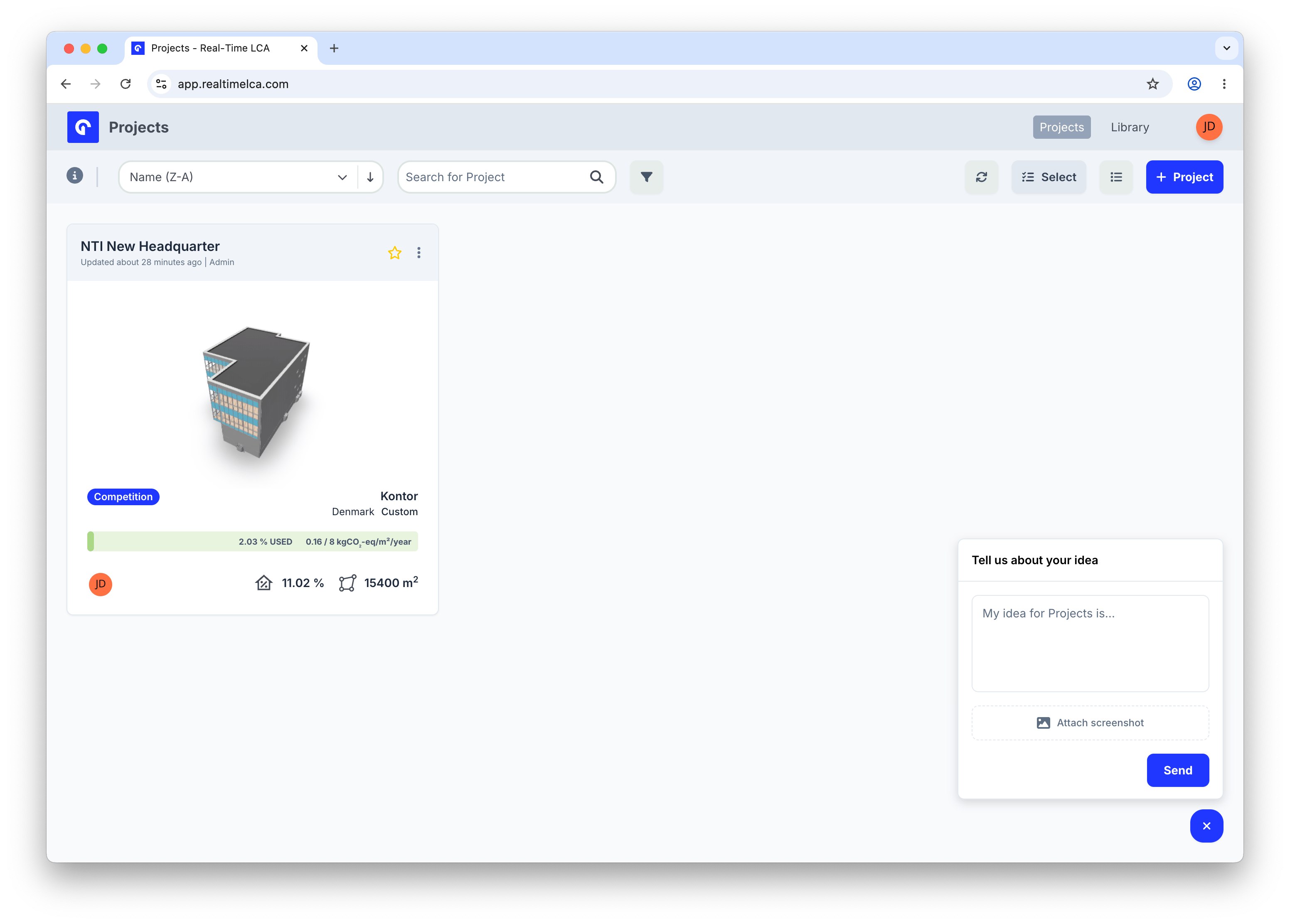 1. Describe your idea in the **My idea for \{page} is...** field.
2. Optionally click **Attach screenshot** to show what you mean.
3. Click **Send**.
Both forms automatically include the page you were on, so you do not need to describe where you are in the app — focus on what you saw or what you would like to see.
## When to use which channel
| You want to... | Use |
| --------------------------------------------------- | --------------------------------------------------------------- |
| Find an answer in the documentation | **User docs** |
| Discuss with other users or vote on ideas in public | **Ask the community** |
| Report a bug on a specific page | **Issue** in the feedback widget |
| Suggest a small improvement or new feature | **Idea** in the feedback widget |
| Resolve an account-specific or sensitive issue | Email [support@realtimelca.com](mailto:support@realtimelca.com) |
1. Describe your idea in the **My idea for \{page} is...** field.
2. Optionally click **Attach screenshot** to show what you mean.
3. Click **Send**.
Both forms automatically include the page you were on, so you do not need to describe where you are in the app — focus on what you saw or what you would like to see.
## When to use which channel
| You want to... | Use |
| --------------------------------------------------- | --------------------------------------------------------------- |
| Find an answer in the documentation | **User docs** |
| Discuss with other users or vote on ideas in public | **Ask the community** |
| Report a bug on a specific page | **Issue** in the feedback widget |
| Suggest a small improvement or new feature | **Idea** in the feedback widget |
| Resolve an account-specific or sensitive issue | Email [support@realtimelca.com](mailto:support@realtimelca.com) |